Every finding is followed up
A non-compliant answer becomes an action with an owner and a due date. The action is completed with a photo and verified by a manager, so issues that are found do not go untracked.
 CENPRA
Field audits for restaurant chains
The auditor fills in the form at the branch on a phone, tablet or computer and adds photos. A manager approves the audit. Each finding becomes an action with an owner and a due date. Reports are presented together with the branch's sales and targets.
Coming soonTalk to us about a pilot.
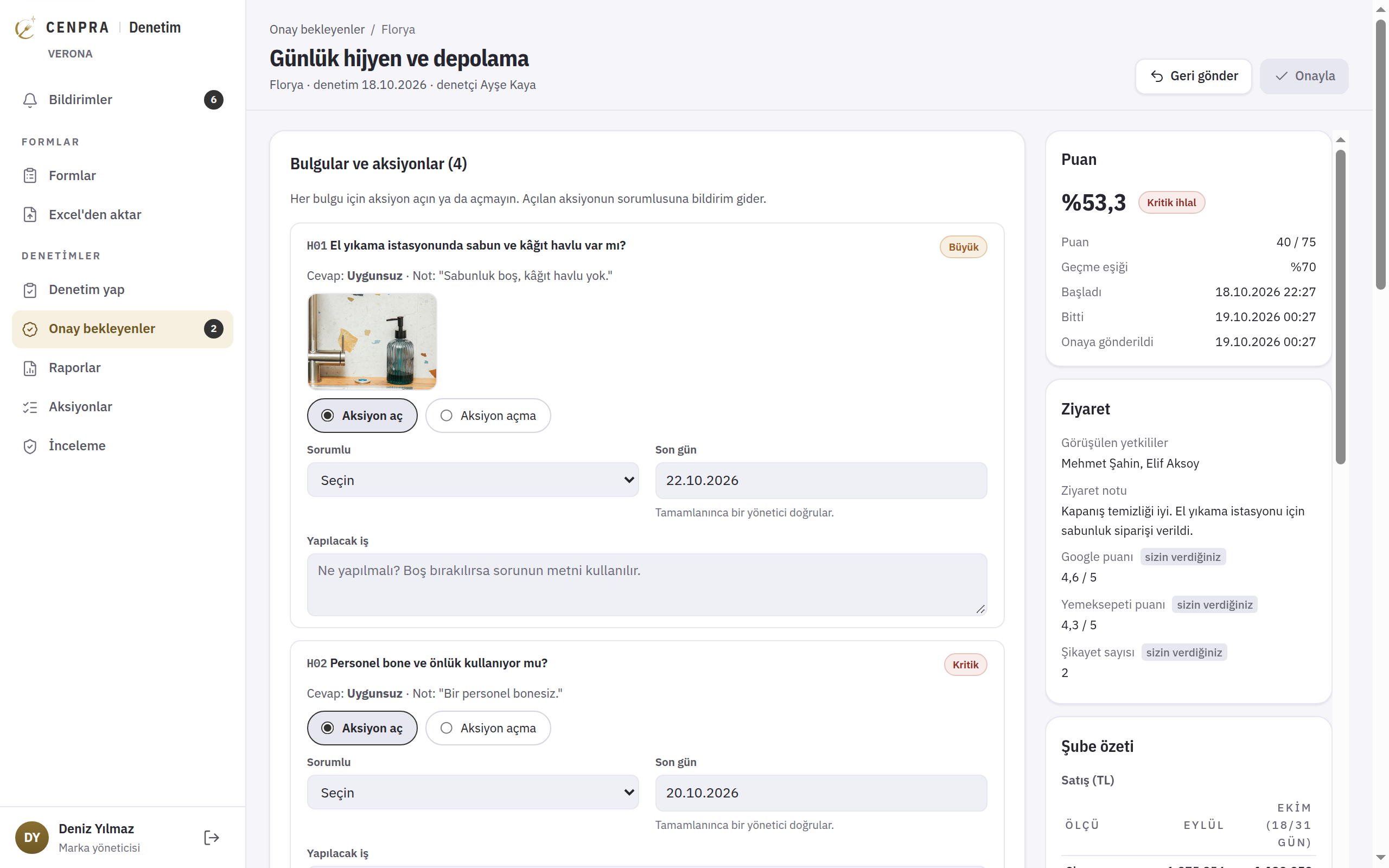
The auditor fills in the form on a phone, tablet or computer and adds photos. Once a manager approves, each finding becomes an action with an owner and a due date. The screens below are taken from the management panel; brand, branch and people names are fictional.
Every form auditors fill in on the phone or in the management screen is listed here. Changes are made on a draft. The published version stays as it is, so older reports made with it are not affected.
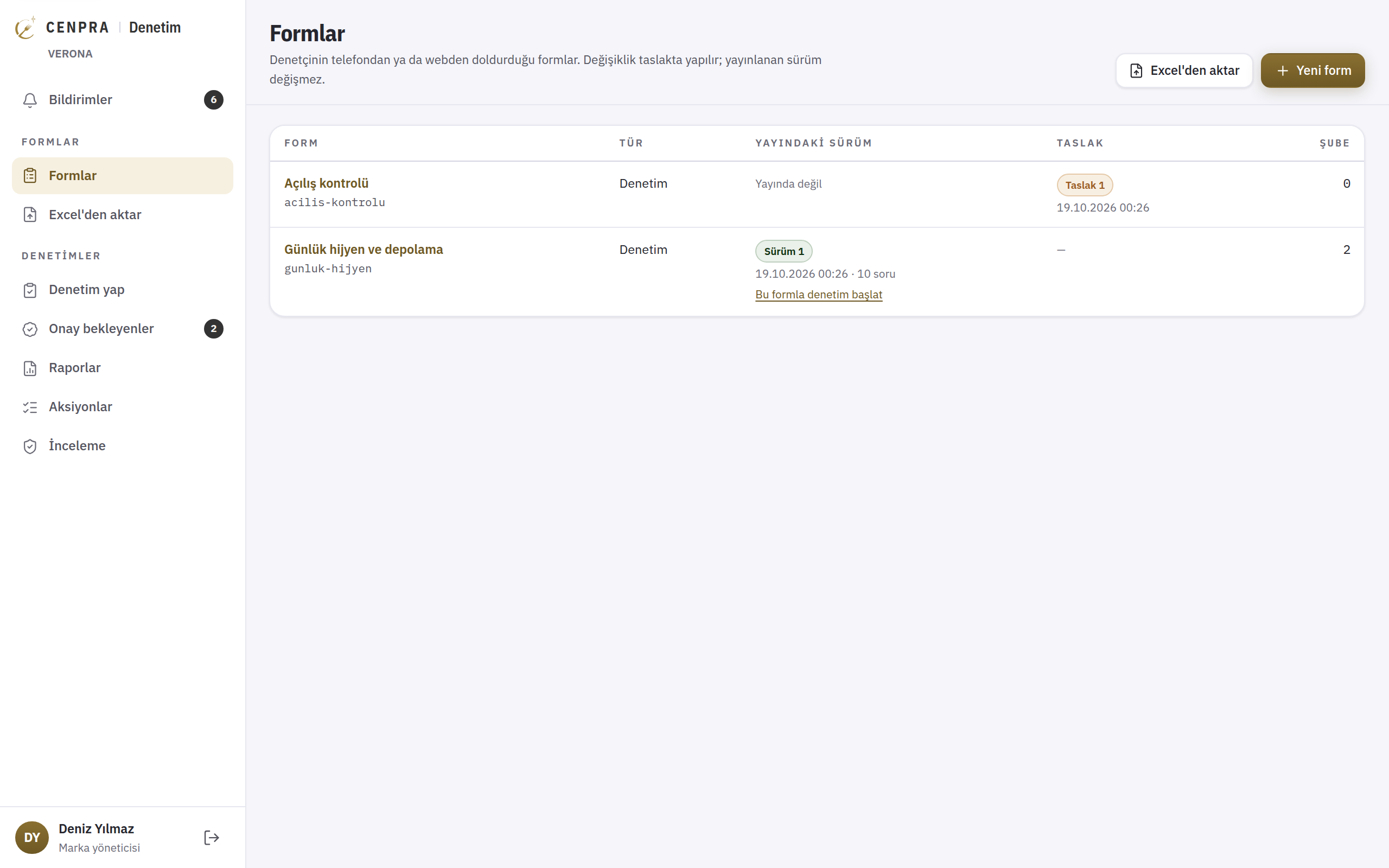
The 'Food hygiene (Türkiye)' template is based on the articles of the Turkish Food Hygiene Regulation: 7 sections, 42 questions, 7 of them critical. Each question shows the relevant article. You can also build your own list from a blank form.
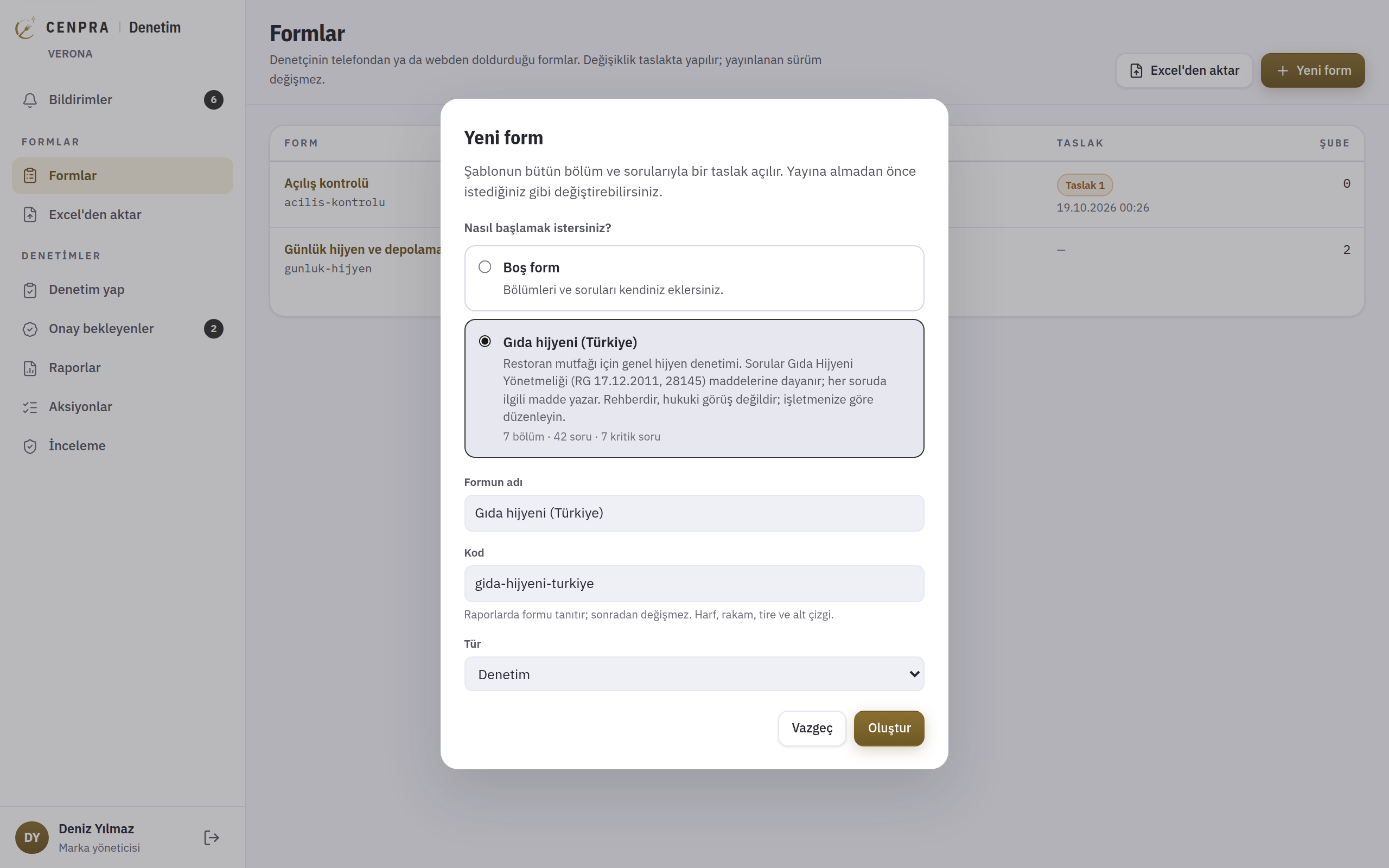
You set the sections, questions, answer types, score weights and pass mark. A question can be marked as critical; a single critical breach is enough for the audit to fail. Photo and note requirements are set per question.
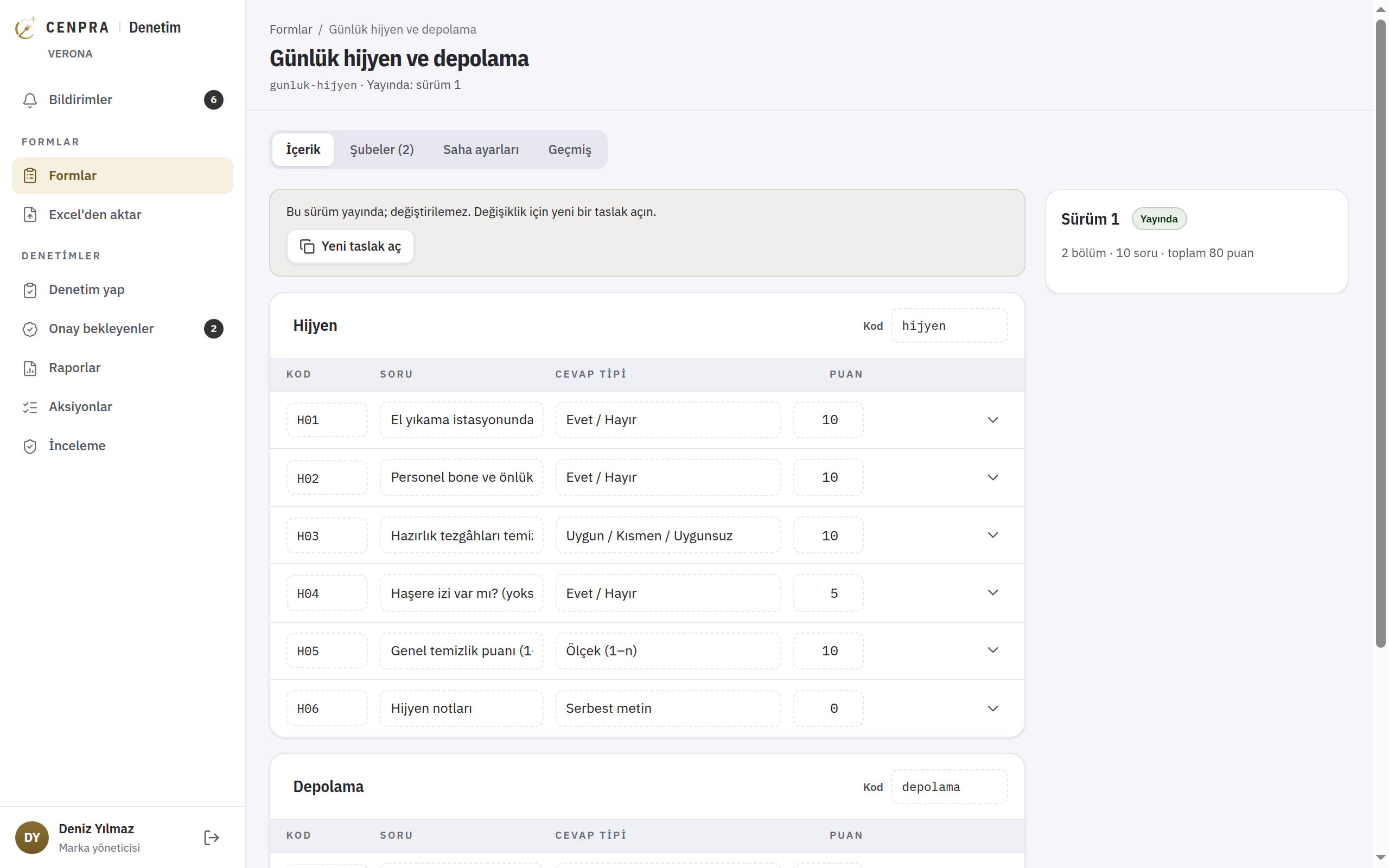
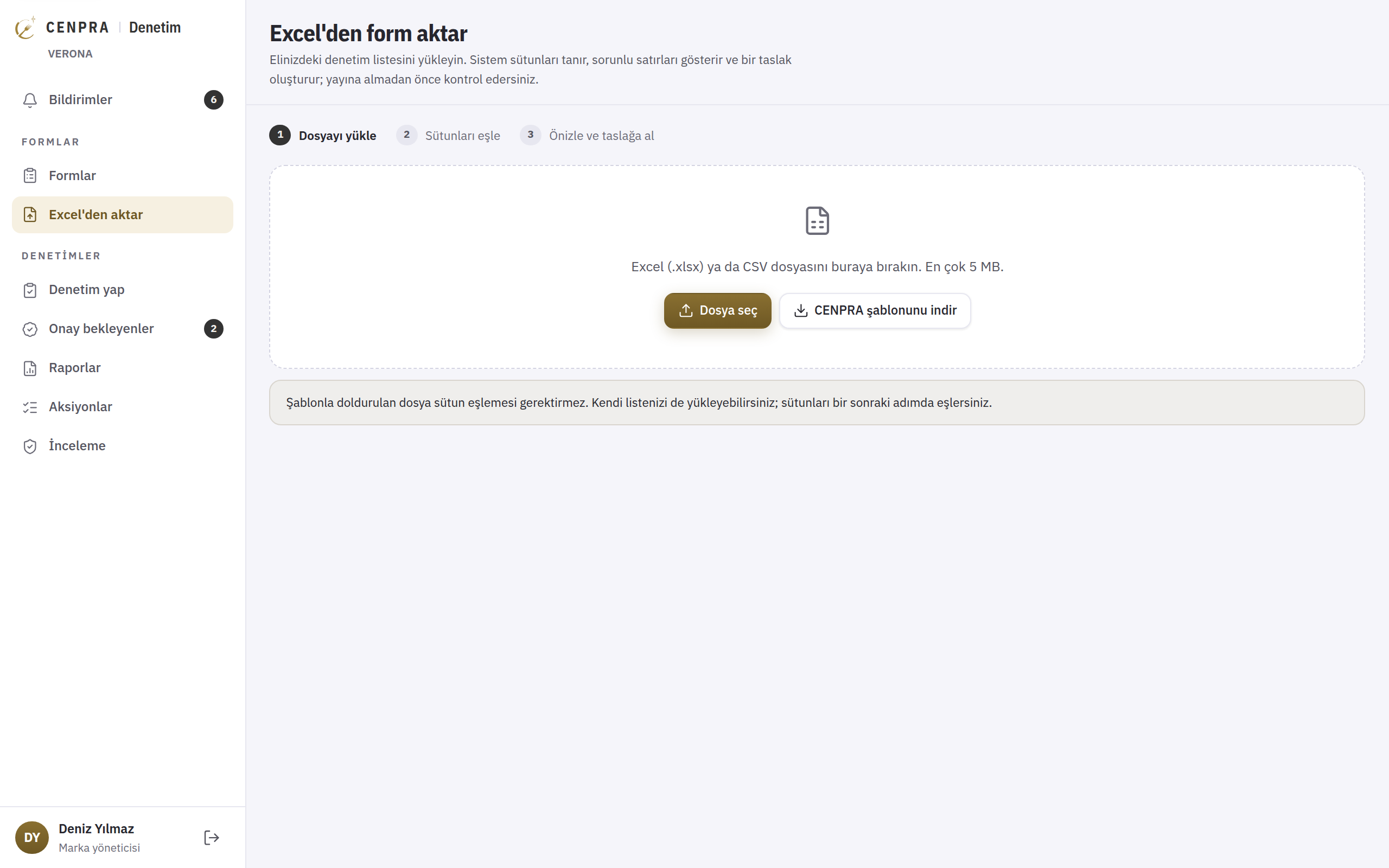
You can upload your existing checklist as an Excel or CSV file. The system recognises the columns, shows any problem rows and creates a draft. You review the draft before publishing it.
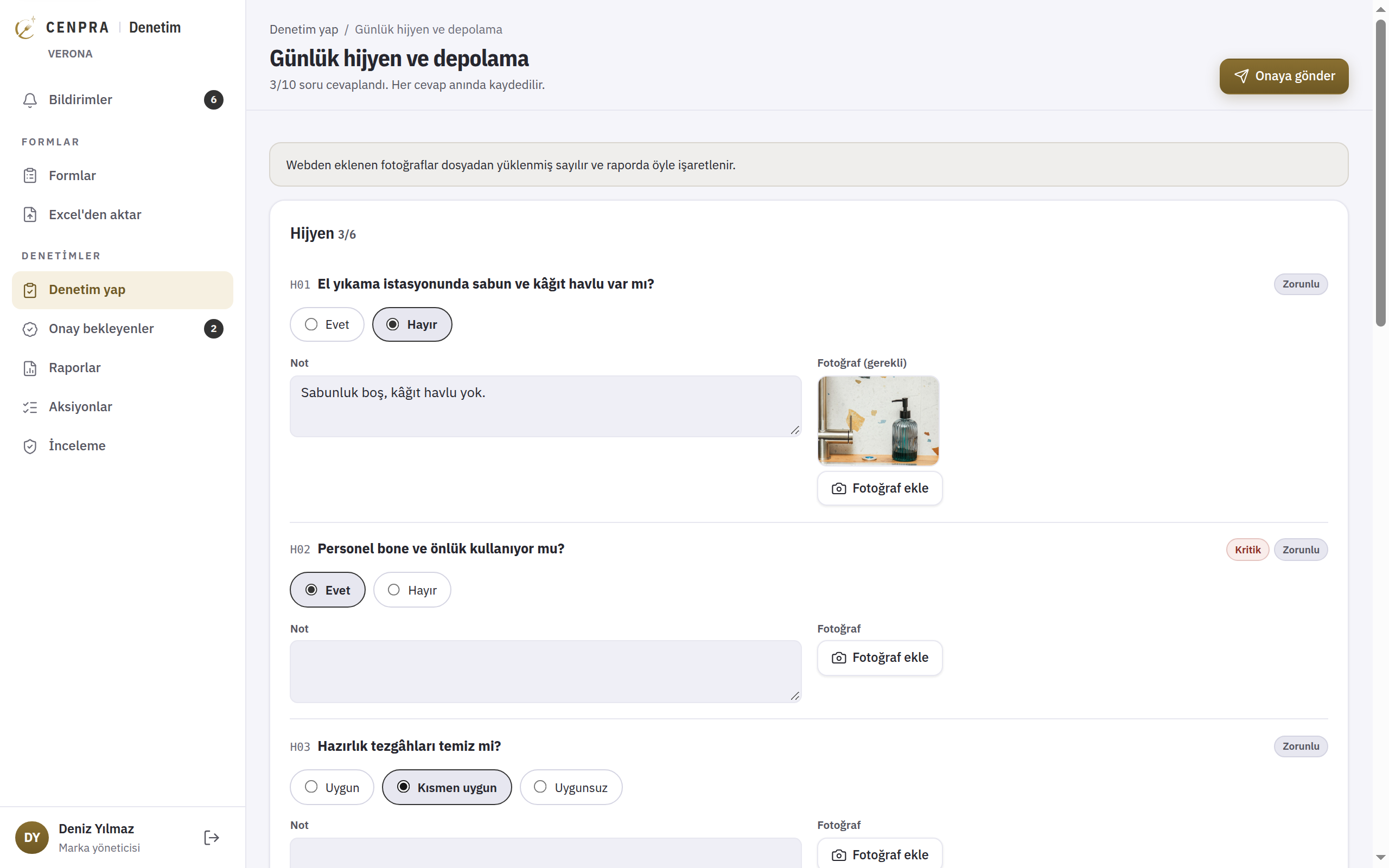
Choose the branch and form with 'Start audit' in the menu. Questions are answered one by one, with notes and photos added. An audit with missing fields cannot be sent for approval.
Audits sent for approval are listed oldest first, with the branch, form, auditor, time sent and the number of critical, major and minor findings.
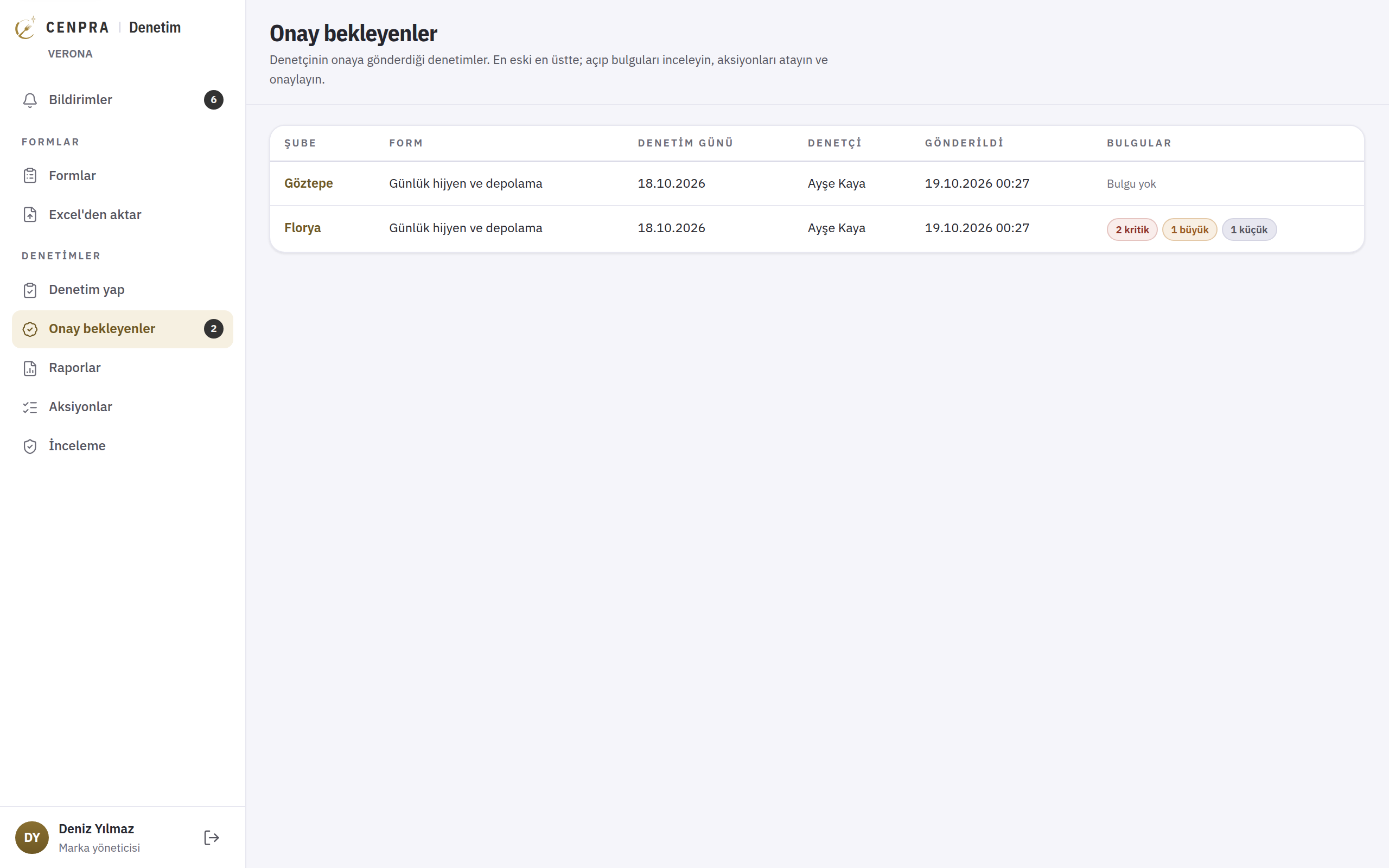
A draft action with a due date is prepared for every non-compliant answer. When you choose an owner, the action is opened and the owner is notified. The four-eyes rule applies: the person who carried out an audit cannot approve it. An incomplete audit is sent back for correction.
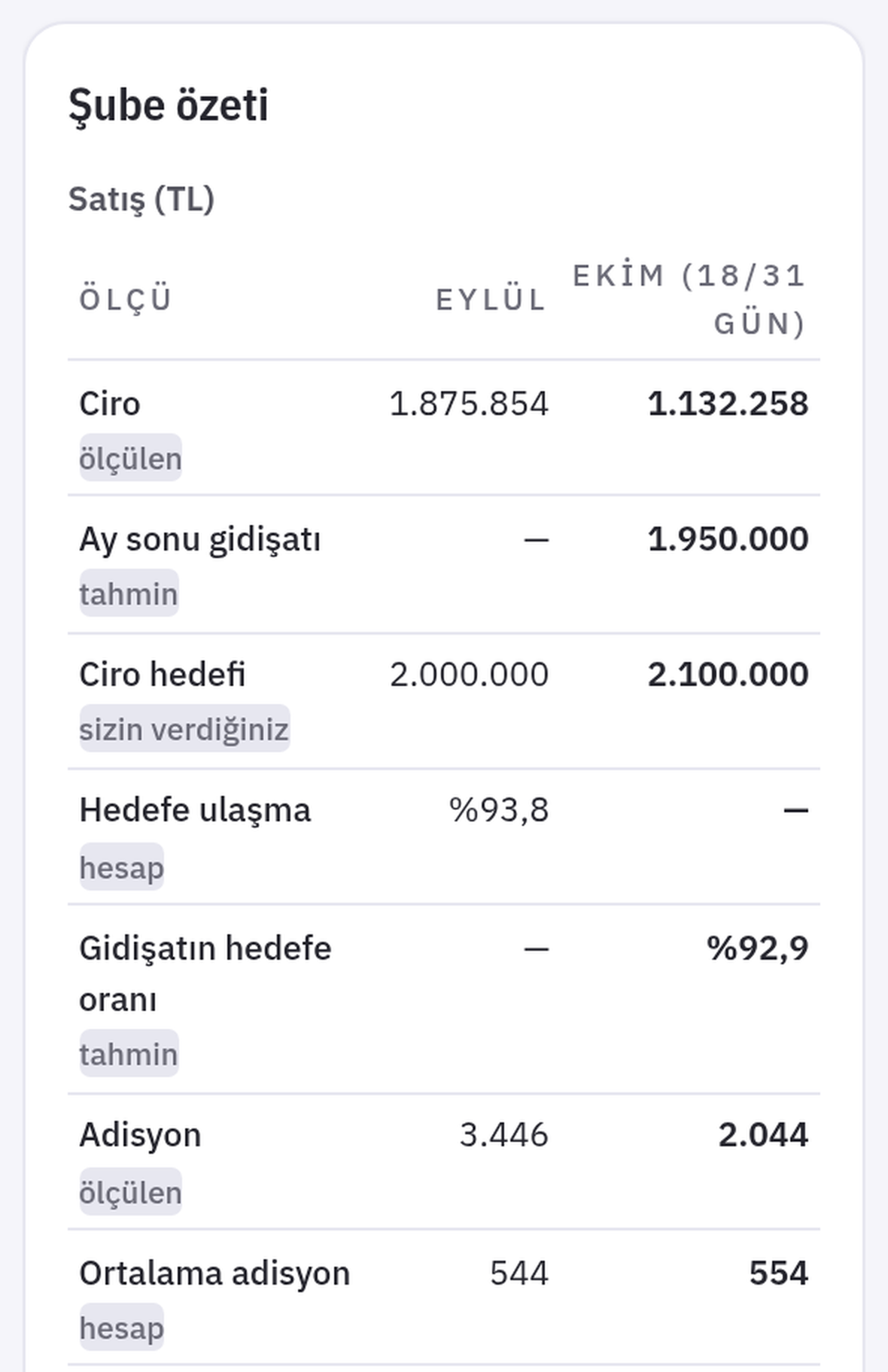
The approval screen shows the branch's figures for this month and last: revenue, month-end trend, progress to target, cheques and plates, dine-in and delivery revenue, void and discount rates. The visit card lists the people met, notes and platform ratings.
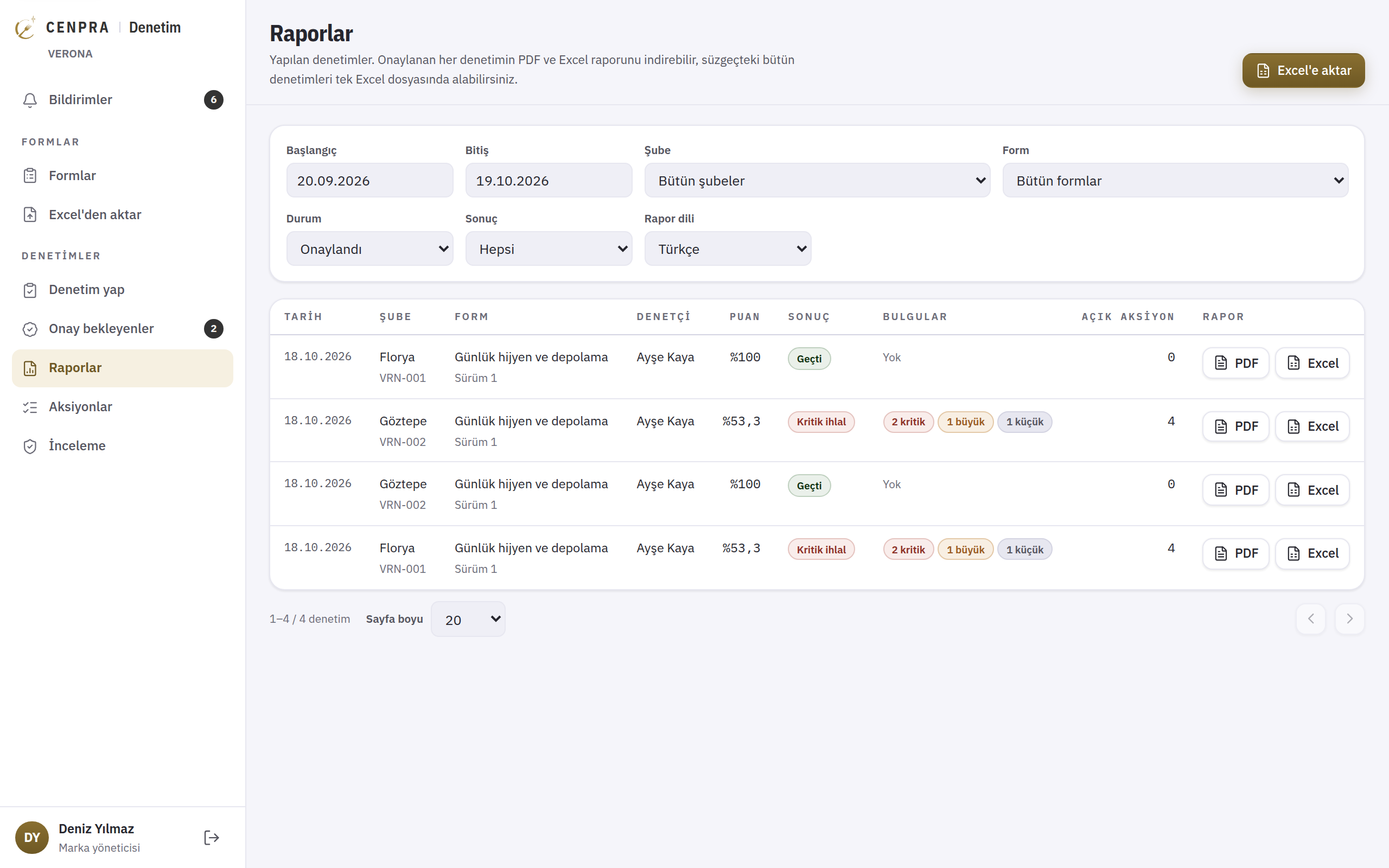
PDF and Excel reports are ready as soon as an audit is approved. All filtered audits can be downloaded as a single Excel file. Reports are available in Turkish or English and are emailed on approval.
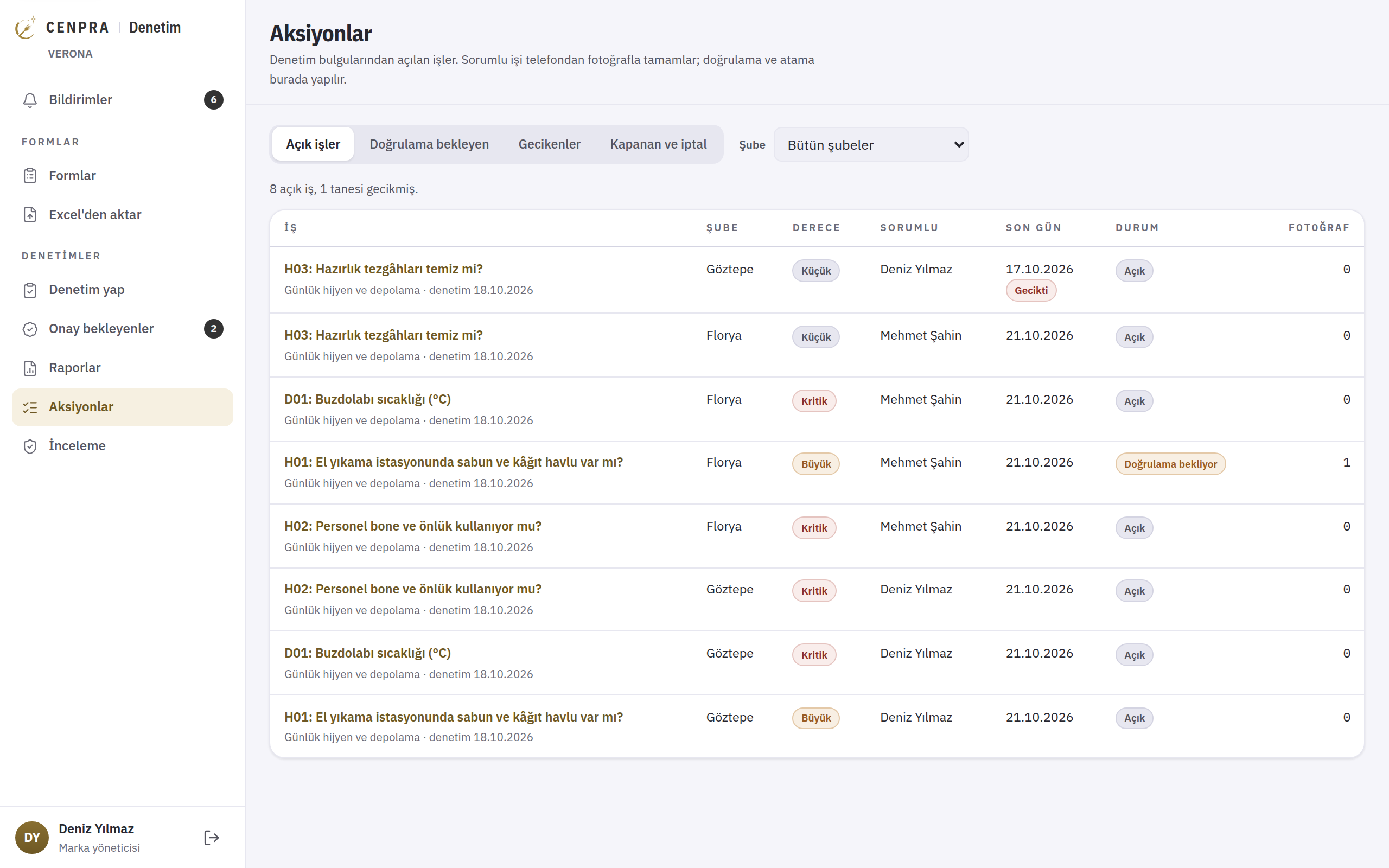
All actions opened from audit findings are tracked in one list: open, awaiting verification, overdue and closed. The list can be filtered by branch, and each action shows its severity, owner and due date.
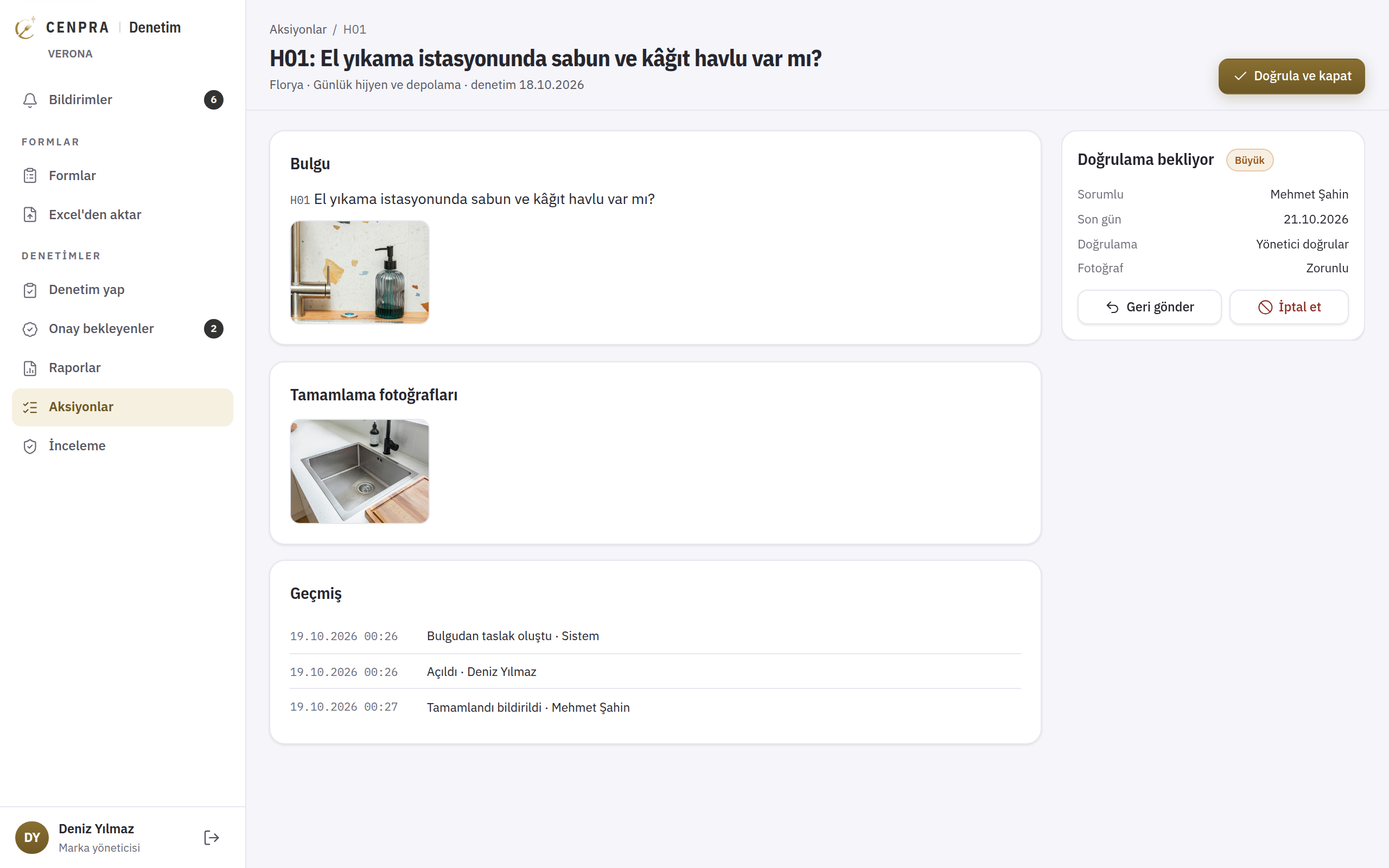
The owner completes the action on the phone by adding a photo, and it moves to verification. The manager sees the finding photo and the completion photo on the same screen, then verifies and closes the action or sends it back. Each step is logged with who did it.
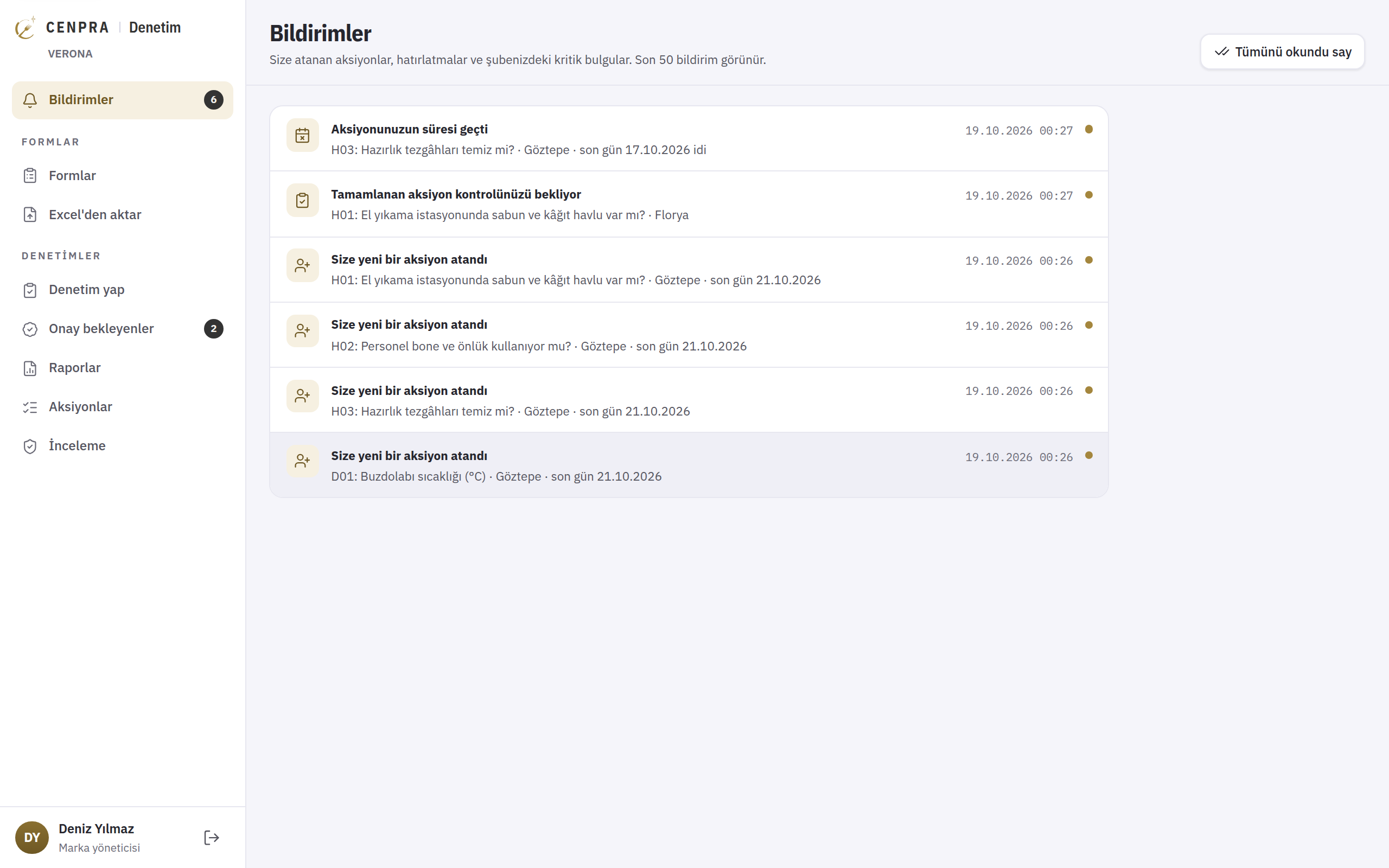
Actions assigned to you, overdue and returned actions, completed actions waiting for your check and critical findings in your branch are gathered in one list. The menu shows the number of unread notifications and audits awaiting approval separately.
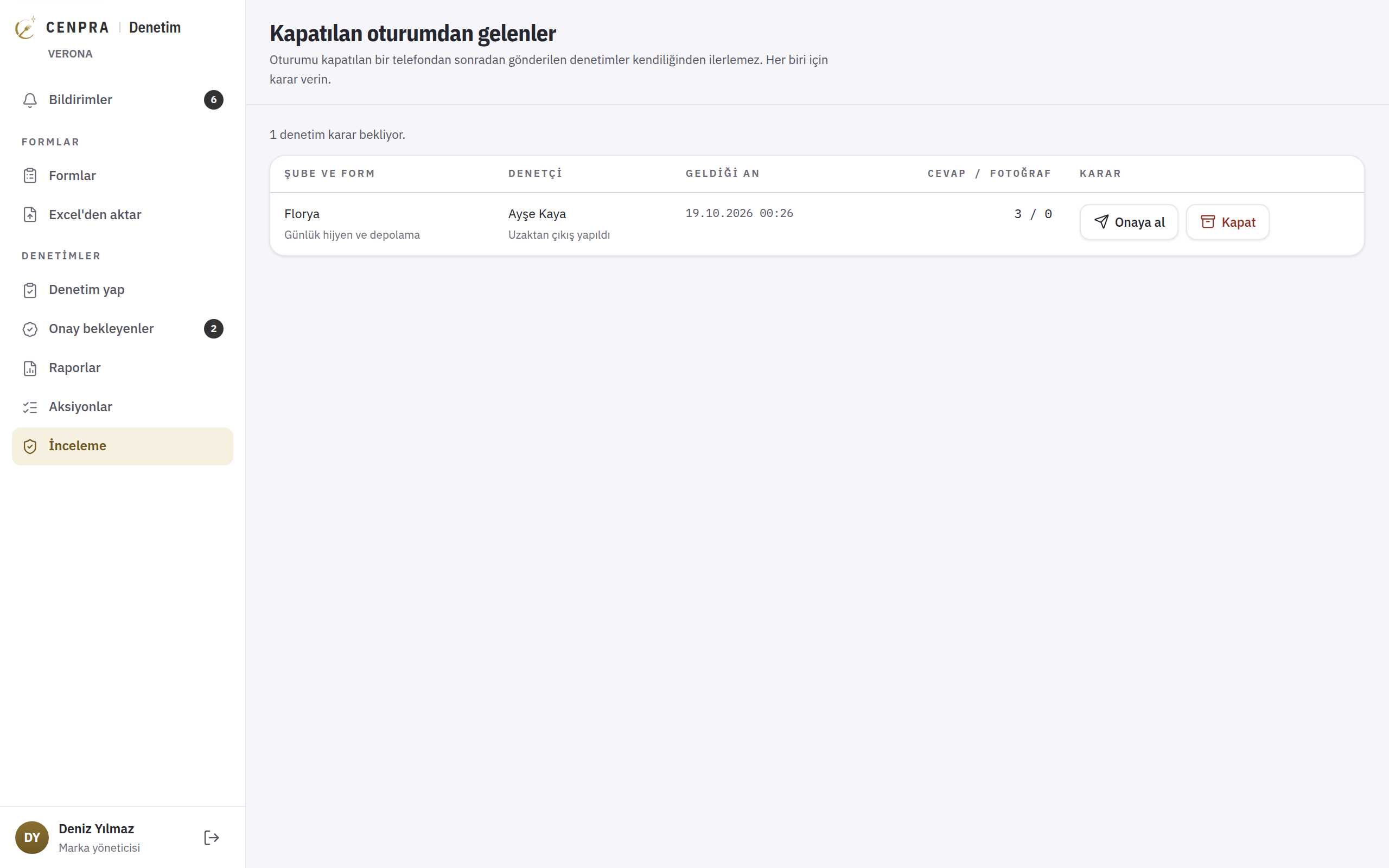
The time each photo was taken is recorded, along with the location if permission was given. Audits from a session that was closed remotely go to review, and the decision is yours.
Auditors and branch managers use the Audit module of the CENPRA mobile app. Audits can also be filled in from the management screen.
CENPRA Audit makes sure the issues found in an audit are owned, followed up and resolved.
A non-compliant answer becomes an action with an owner and a due date. The action is completed with a photo and verified by a manager, so issues that are found do not go untracked.
Hygiene score, revenue, target, plates and void rate appear on the same screen. Each figure shows its source: measured from the POS, calculated, estimated or entered by you. Estimates are never presented as measurements.
In places with no signal, such as a basement store or cold room, records are kept on the phone and sent once a connection is back.
A ready-made form based on the Turkish Food Hygiene Regulation shows the relevant article for each question. You can run your first audit without writing a form from scratch.
The time a photo was taken is recorded, along with the location if permission was given, and the file is checked for later changes. Under the four-eyes rule, no one can approve their own audit.
PDF and Excel reports hold the score, sales and target as they were at approval. Later changes to the data do not alter an approved report. Reports are available in Turkish and English.
Start in one branch with your own form and review the first audit report alongside the branch's sales.