Campaigns for guests who stopped coming
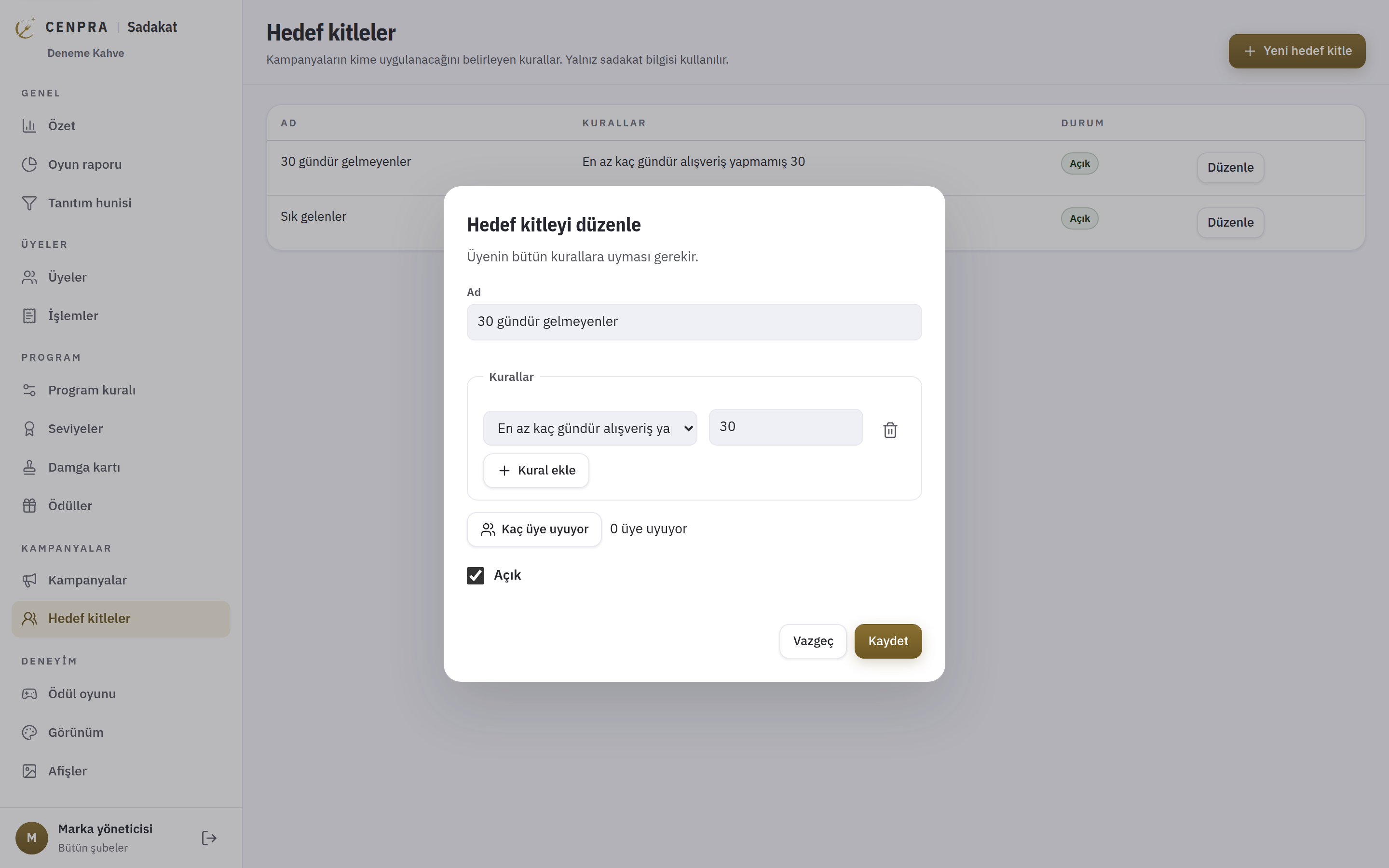
You set apart members who have not visited for a given number of days and give them their own bonus points campaign. When they come back, the points are added at the till automatically.
 CENPRA
A loyalty programme that knows your guests
You set up point and tier rules, stamp cards, campaigns and reward games in the management panel. Guests see their points, rewards and game turns on their own phone and are recognised at the till with a QR code. Separate campaigns can be set up for guests who have not visited for a given number of days.
Coming soonTalk to us about a pilot.
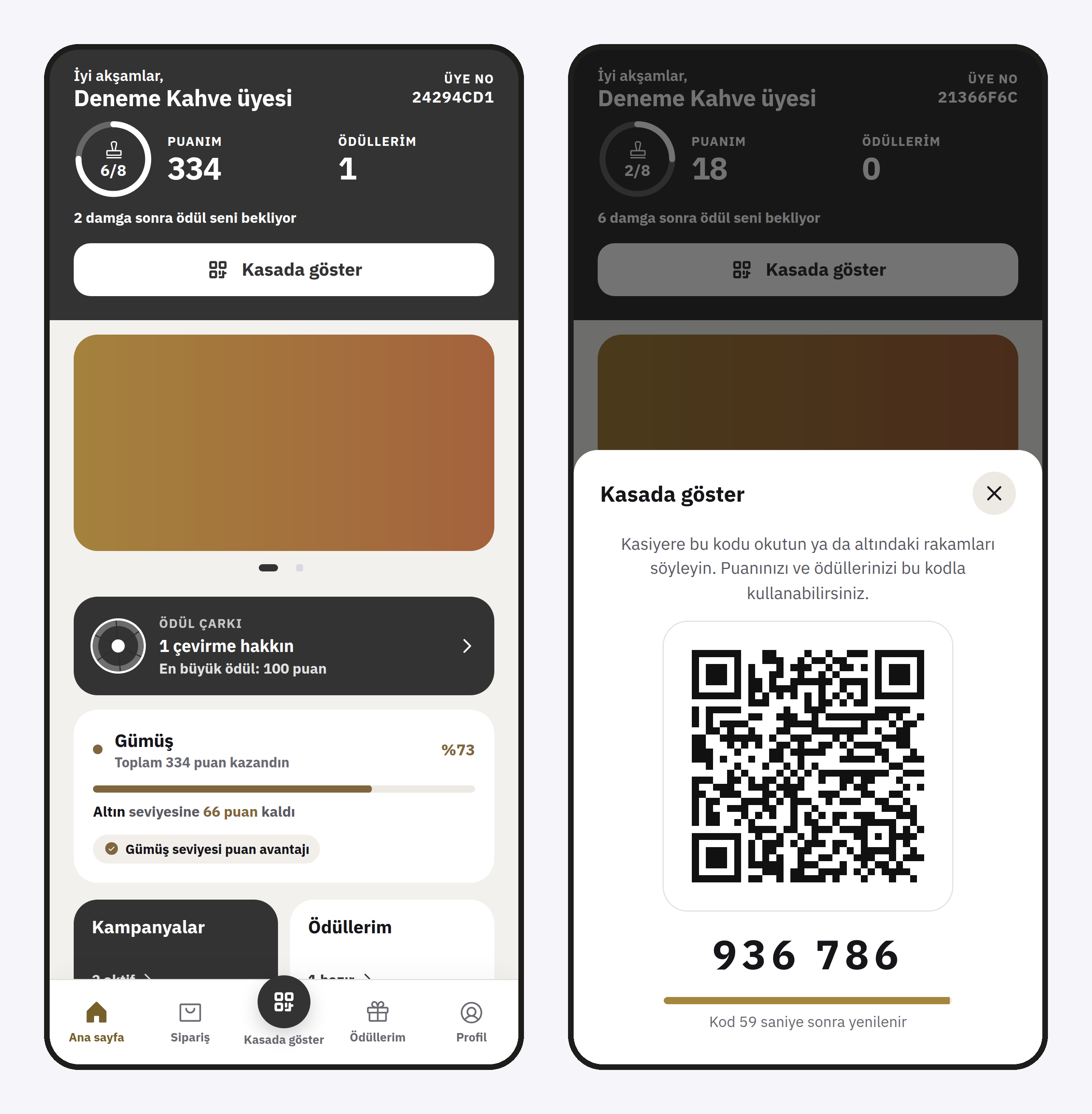
The brand team sets up the programme in the management panel, and guests see the same rules on their own phone. The brand and figures on the screens are fictional.
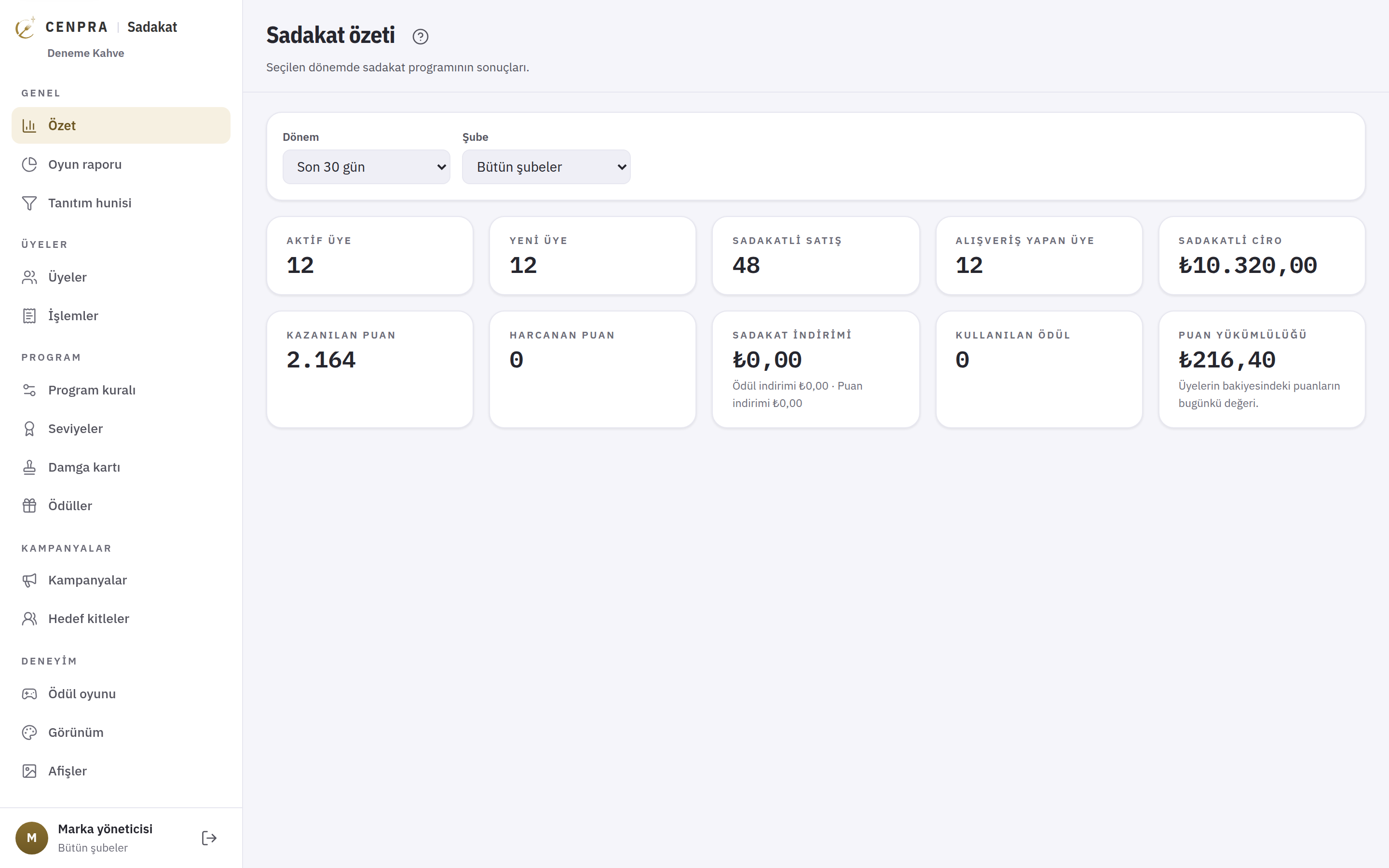
For the chosen period and branch you see active and new members, loyalty sales and revenue, and points earned and spent. The points liability is shown in lira as today's value of the points in members' balances.
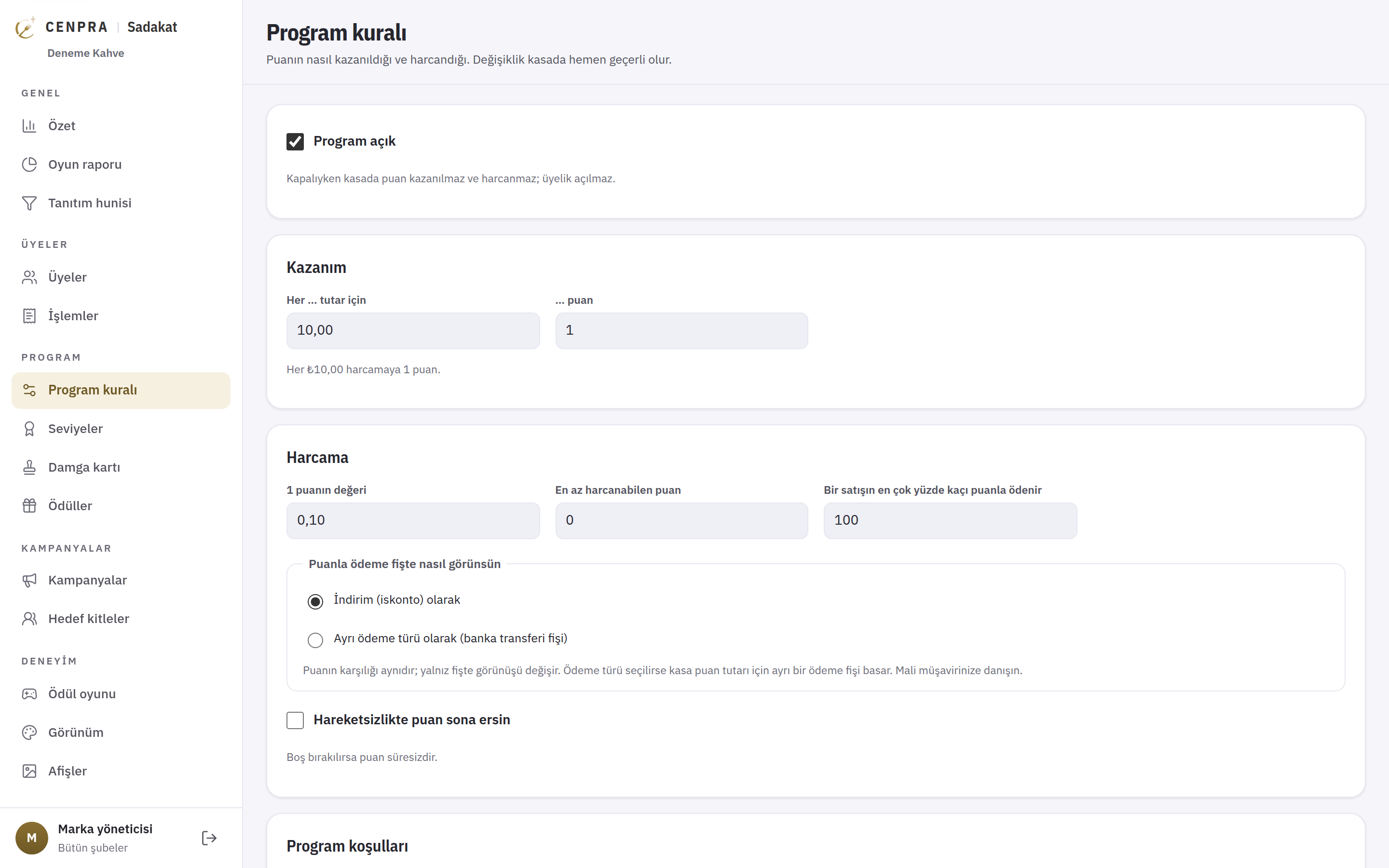
You decide how many points a purchase earns and what a point is worth. You set the minimum points that can be redeemed and the largest share of a sale that can be paid with points. Points appear on the receipt as a discount or a separate payment type, and you can let points expire after a long period of inactivity.
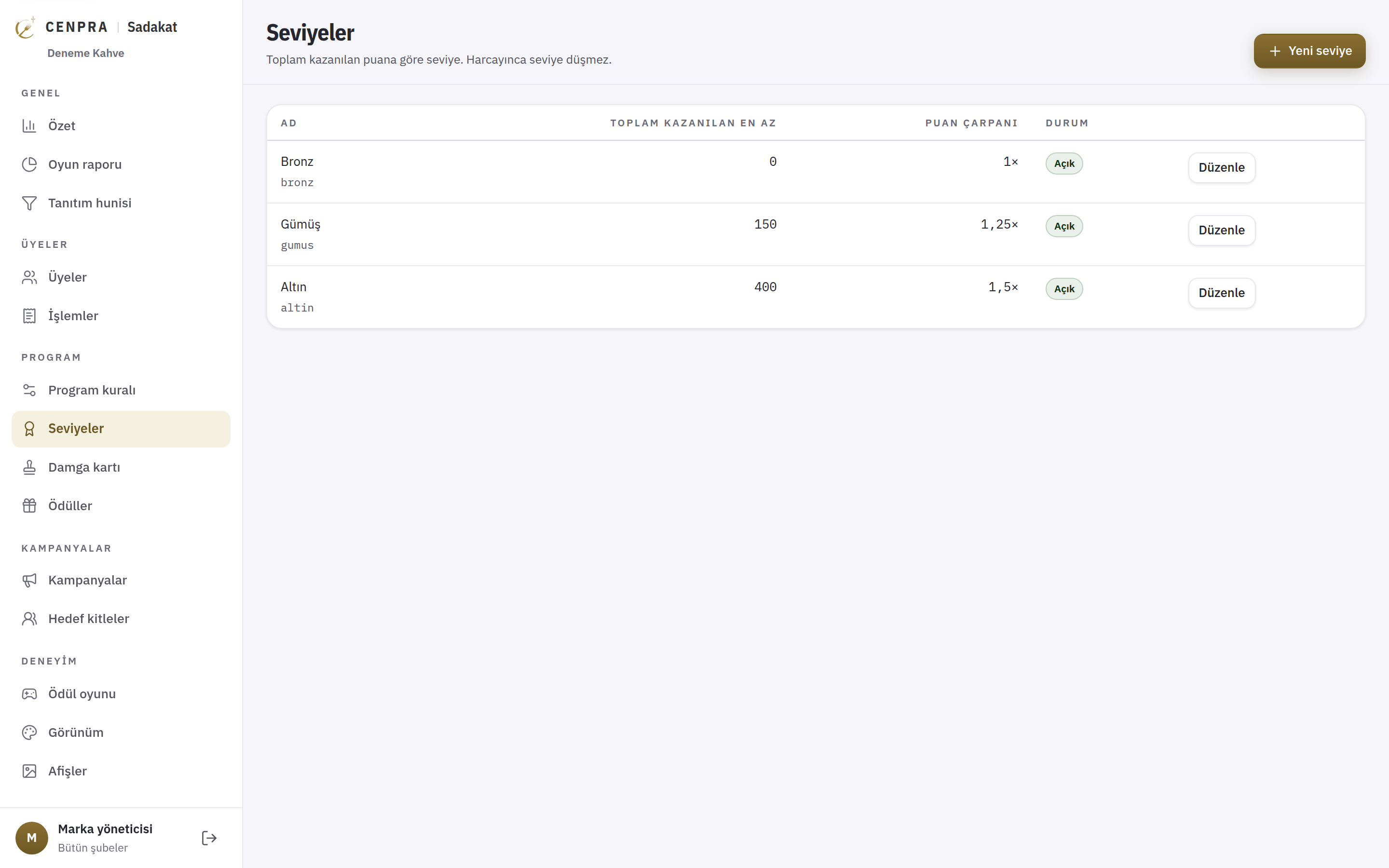
The brand defines the threshold and point multiplier of tiers such as Bronze, Silver and Gold. A guest's tier follows total points earned, so spending points does not lower it. Guests in higher tiers earn more points for the same spend.
Audiences are built from loyalty data only: days since the last purchase, tier, balance, number of purchases, total spend and sign-up channel. Before saving you see how many members match. Personal details such as age, gender or e-mail are not used as rules.
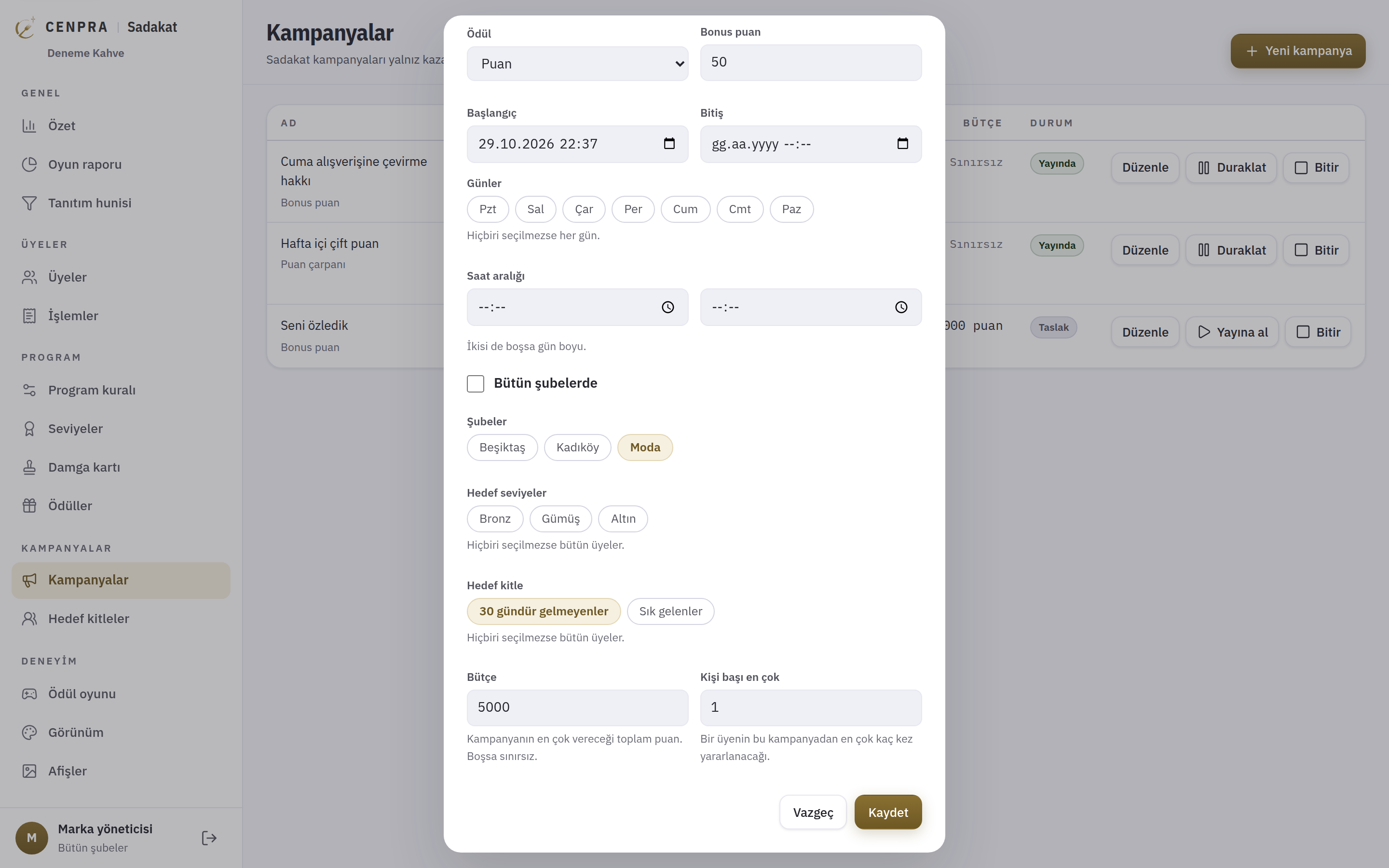
You can set up point multipliers, bonus points, a reward on the nth purchase, first-purchase and minimum-basket campaigns. Each campaign can be limited by day, time, branch, tier and audience, and is managed as draft, live or paused.
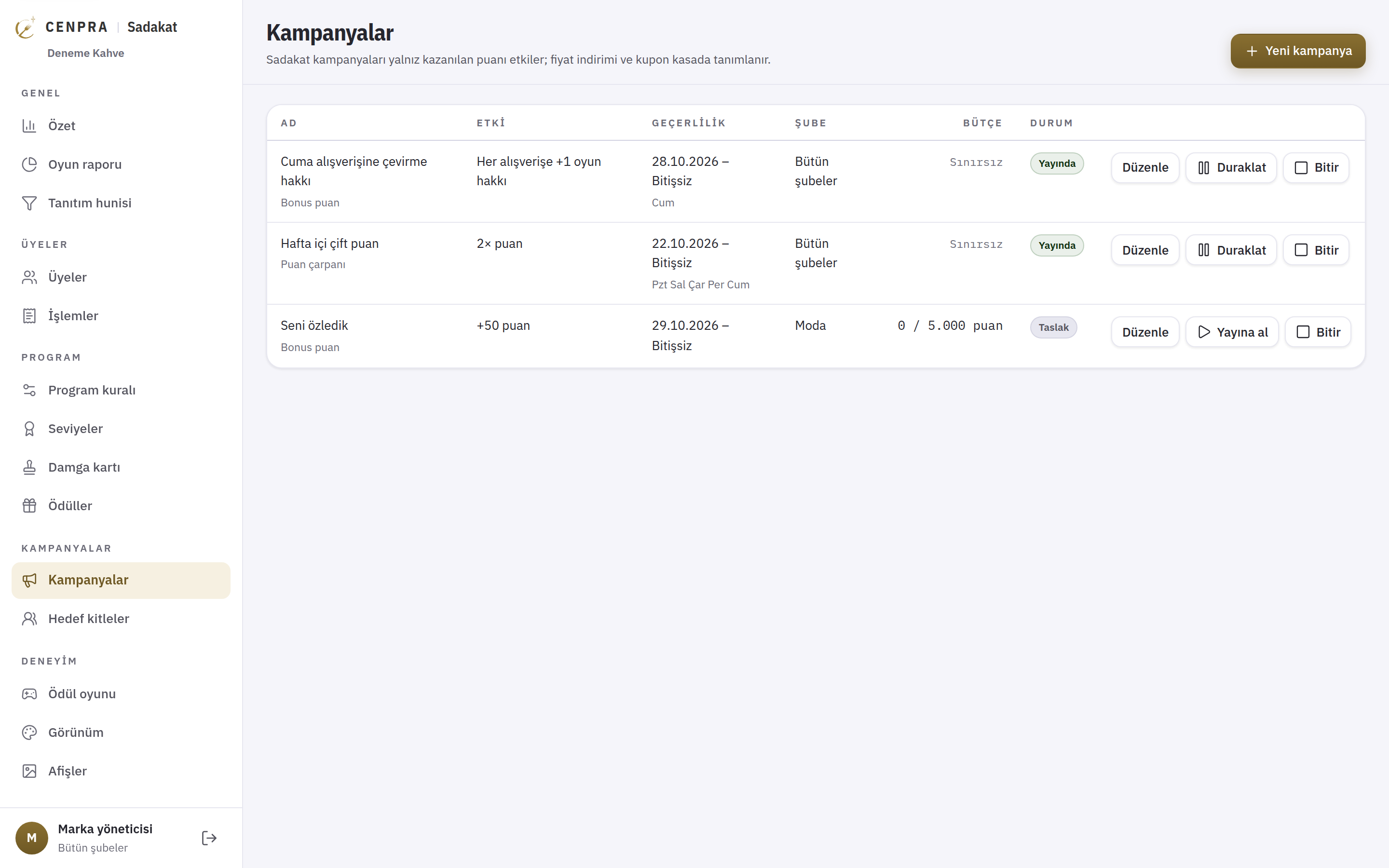
In this example, members who have not purchased for 30 days get 50 bonus points, valid only at the Moda branch. The campaign has a total budget of 5,000 points and a limit of one use per guest. When the guest comes back and buys, the points are added at the till automatically.
Prizes, win rates, stock and cost are managed in one table. When the daily points budget is used up, expensive prizes drop out of the draw automatically. A prize that runs out of stock is removed and the guest keeps their turn.
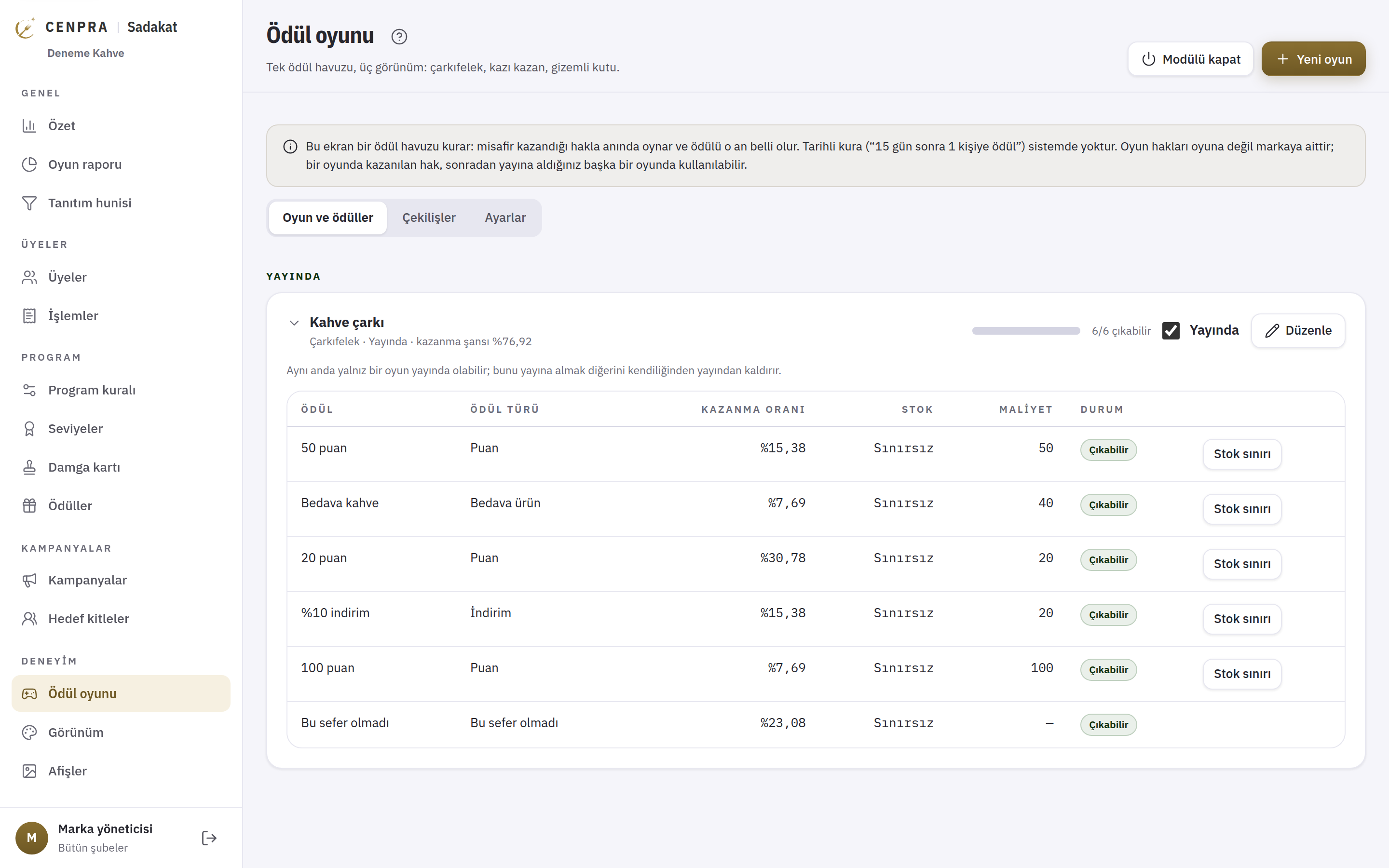
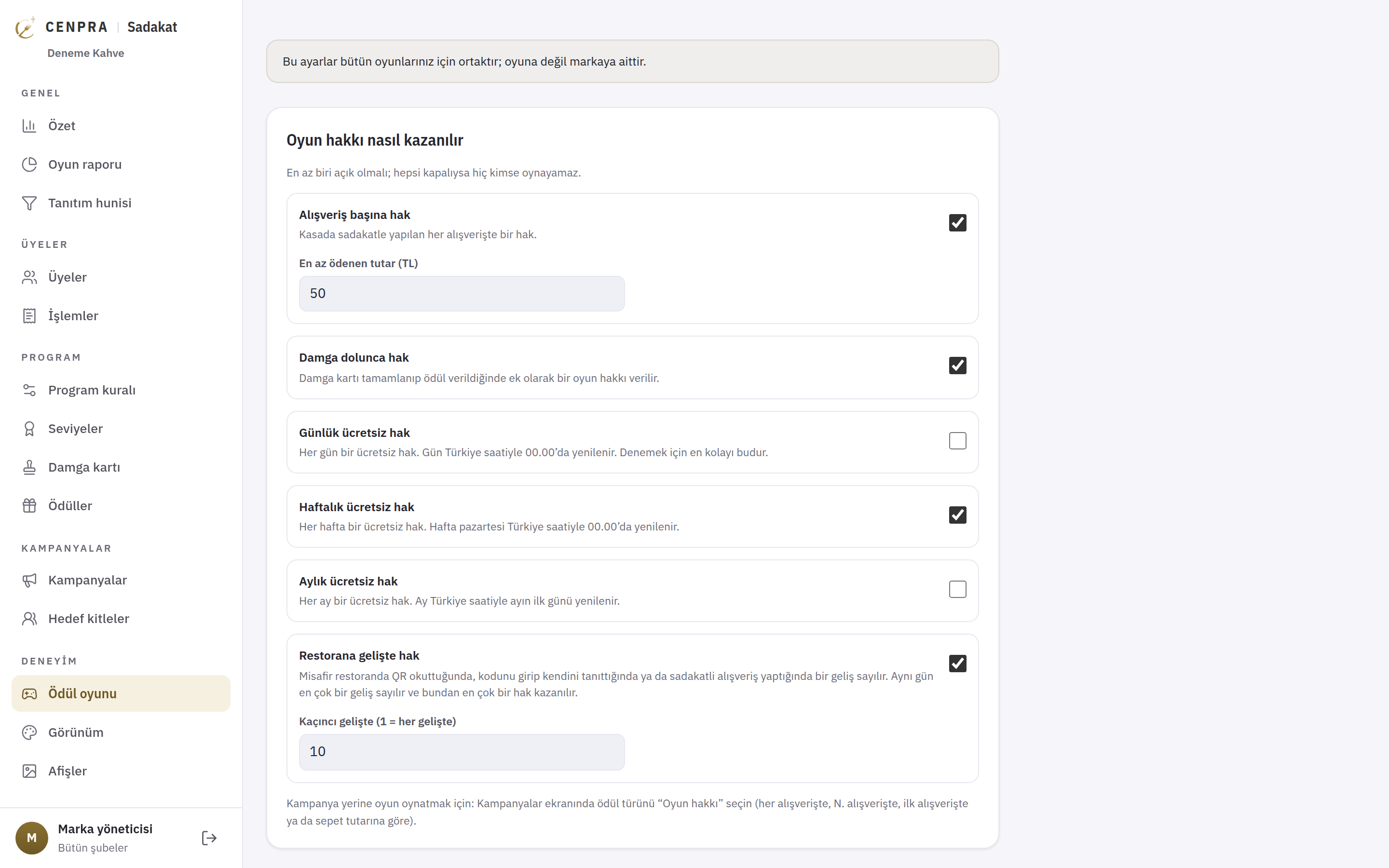
Turns are given for purchases above a set amount, when a stamp card is full, daily, weekly or monthly, or after a set number of visits. Turns can also be granted through a campaign or from the management screen.
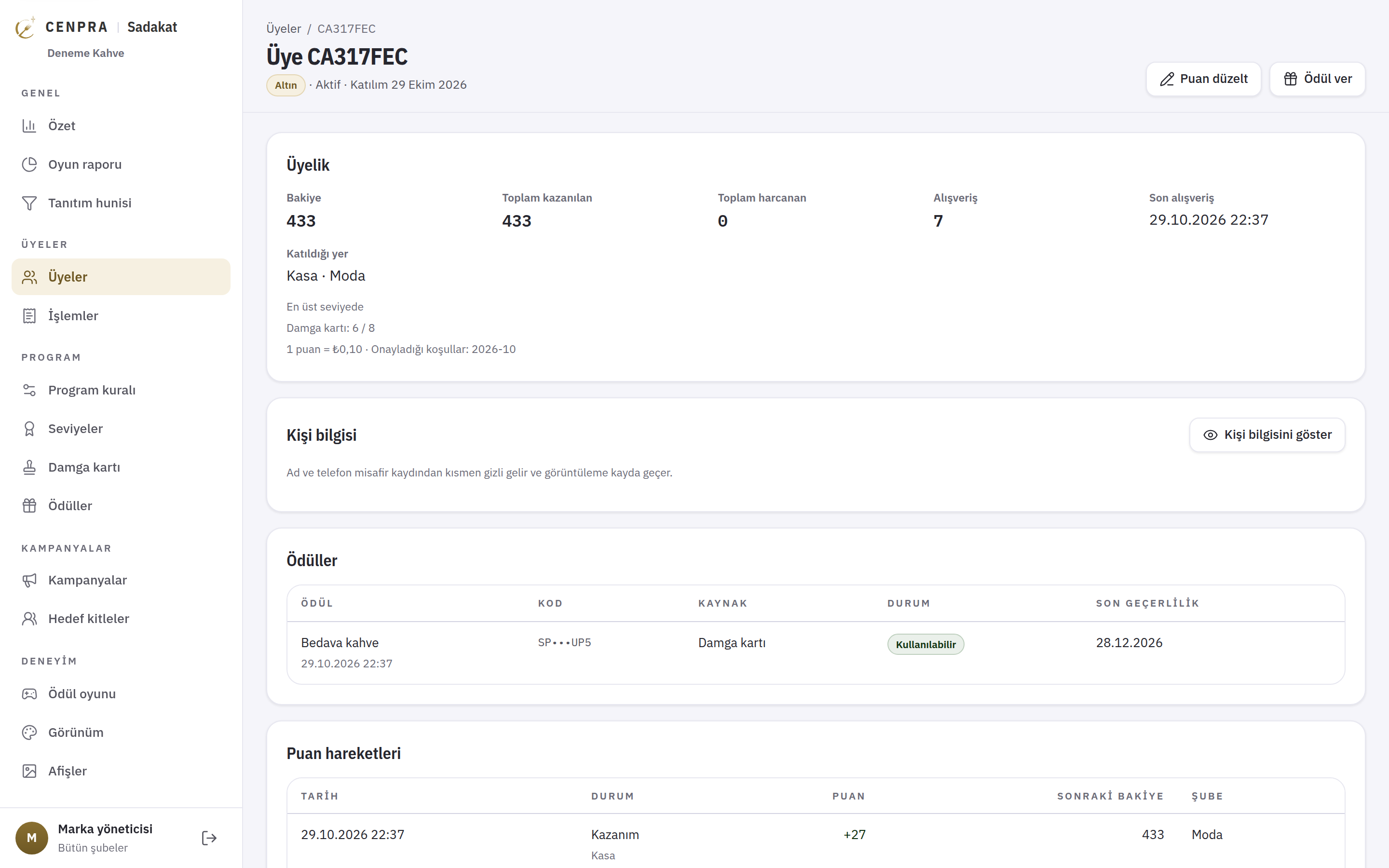
Balance, total points earned and spent, number of purchases, stamp progress, rewards and point history are on one screen. The guest's name and phone number are hidden by default, and every time they are shown it is logged.
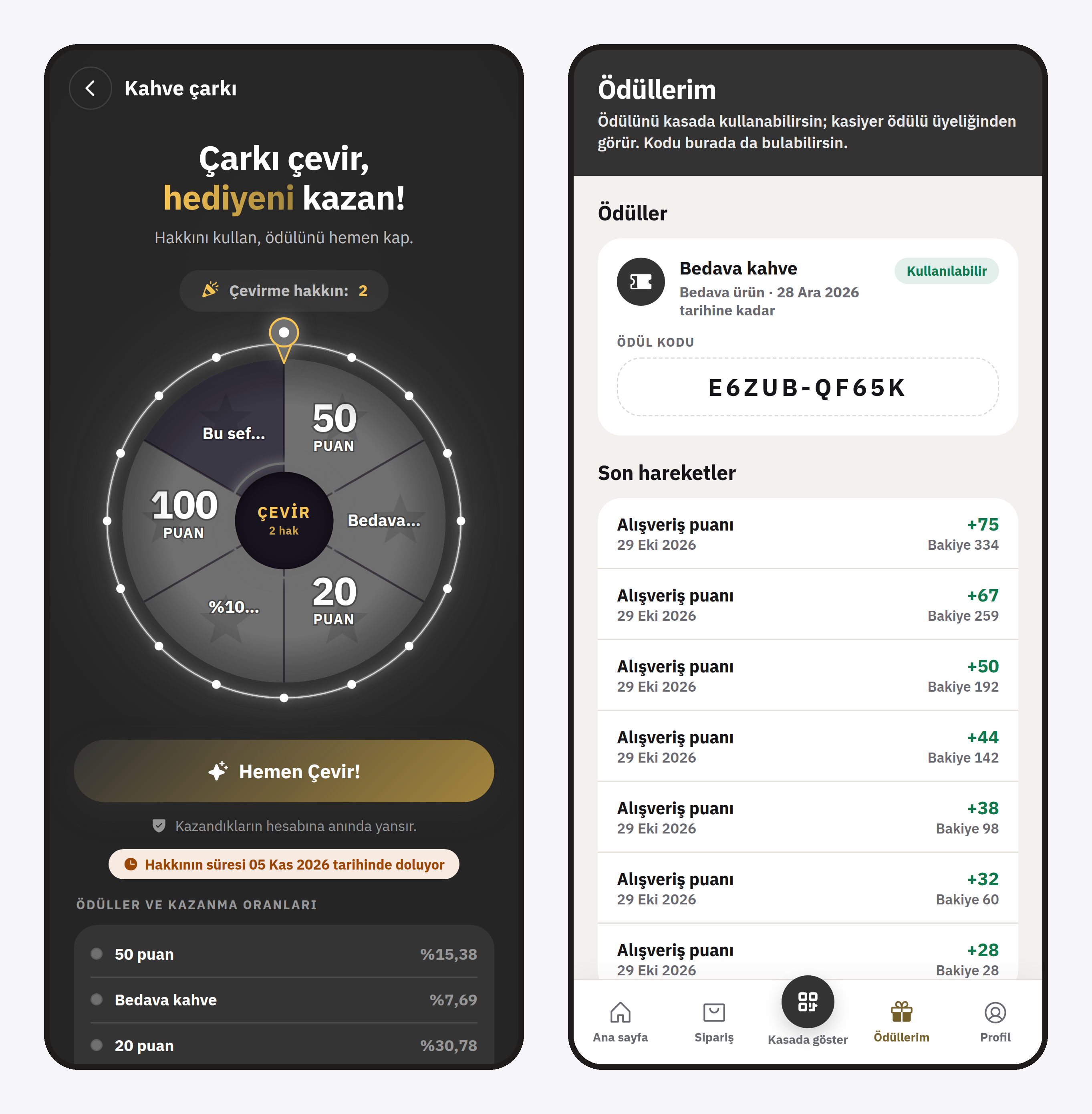
Guests sign in with their phone number and an SMS code, and see their points, stamp card, tier progress and reward turns on the home screen. The QR code and six-digit code on the Show at till screen refresh at short intervals.
Guests use their turns and see the rewards they win on the My rewards page with a code and expiry date. Prize odds can be shown to guests. The app opens in the brand's colours and with its banners.
CENPRA Loyalty keeps the rules that bring guests back, and what they cost, in one panel.
You set apart members who have not visited for a given number of days and give them their own bonus points campaign. When they come back, the points are added at the till automatically.
Campaigns have a total points budget and a per-guest limit, and reward games a daily budget. The points liability is shown in lira on the summary screen.
Point multipliers, bonus points, nth-purchase rewards and minimum-basket campaigns can be limited by day, time, branch, tier and audience.
Spin the wheel, scratch card and mystery box. Turns are earned with purchases, stamp cards or visits, and you control the prizes and odds.
Names and phone numbers are not kept in the loyalty record, are hidden in the panel and every viewing is logged. Date of birth and gender are not asked for, and marketing consent is separate from membership.
The guest app opens with the brand's colours, design template, welcome screens and banners.
Let us set up the programme with you in one branch and define the first campaign and audience together.