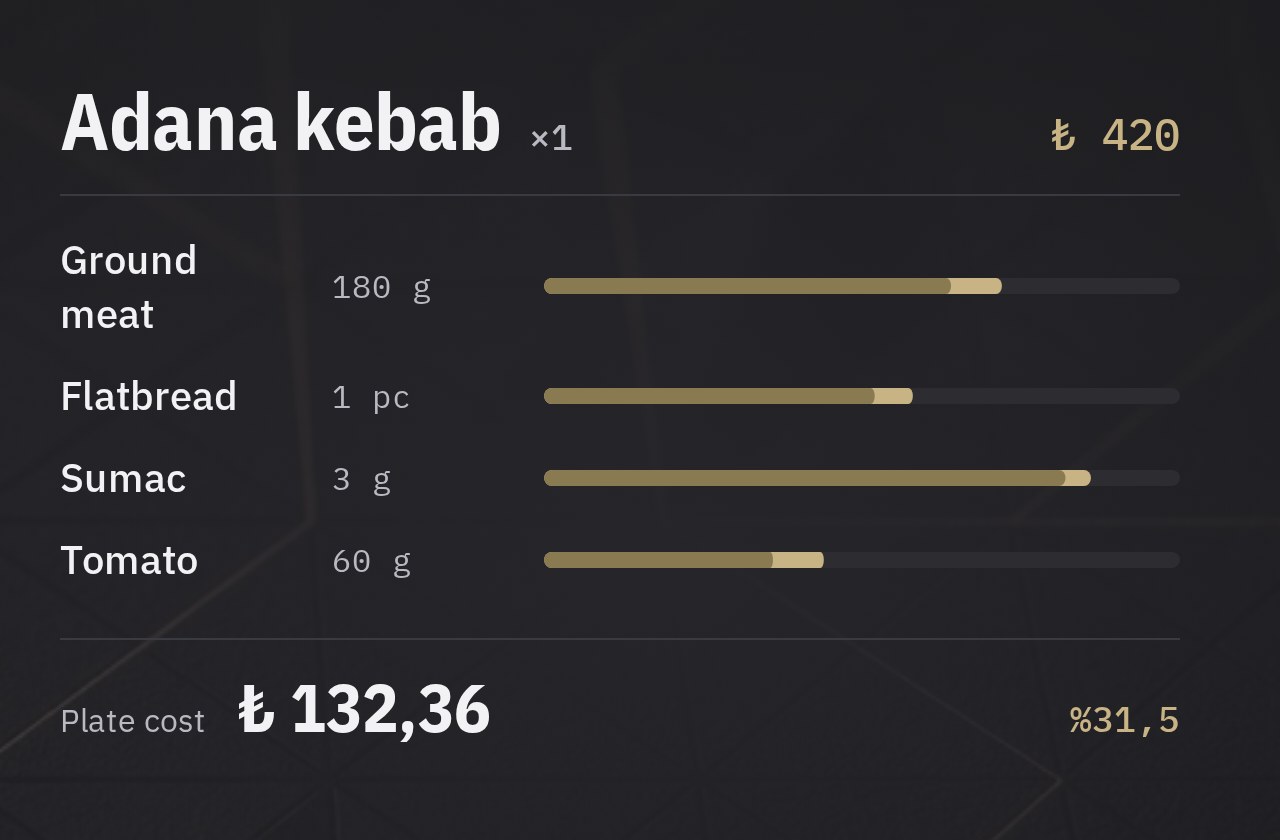
Real plate cost from week one
Ingredient costs and recipes update as invoices come in. When a supplier raises prices, your plate cost changes the same day, so you set selling prices from calculation rather than guesswork.
 CENPRA
Stock, recipe and cost management
Matches every sale from the POS to its recipe and calculates real ingredient usage and plate cost. Everything from stock to invoices and from counts to purchasing runs in one system. Head office oversees every branch; branch staff place orders, count stock, receive goods and upload document photos from their own screen. Cost information is never shared with branches.
LiveTwo packages, for single sites and chains
In a traditional ERP, documents are typed in by hand. In CENPRA ERP the branch takes a photo of the document, the system reads it and a person only has to approve.
The branch screen has a single button: Upload invoice / receipt. Invoices, e-Archive printouts, till receipts, expense slips and delivery notes all go through the same button. Items, quantities and amounts are read, and each line is matched to a stock card.
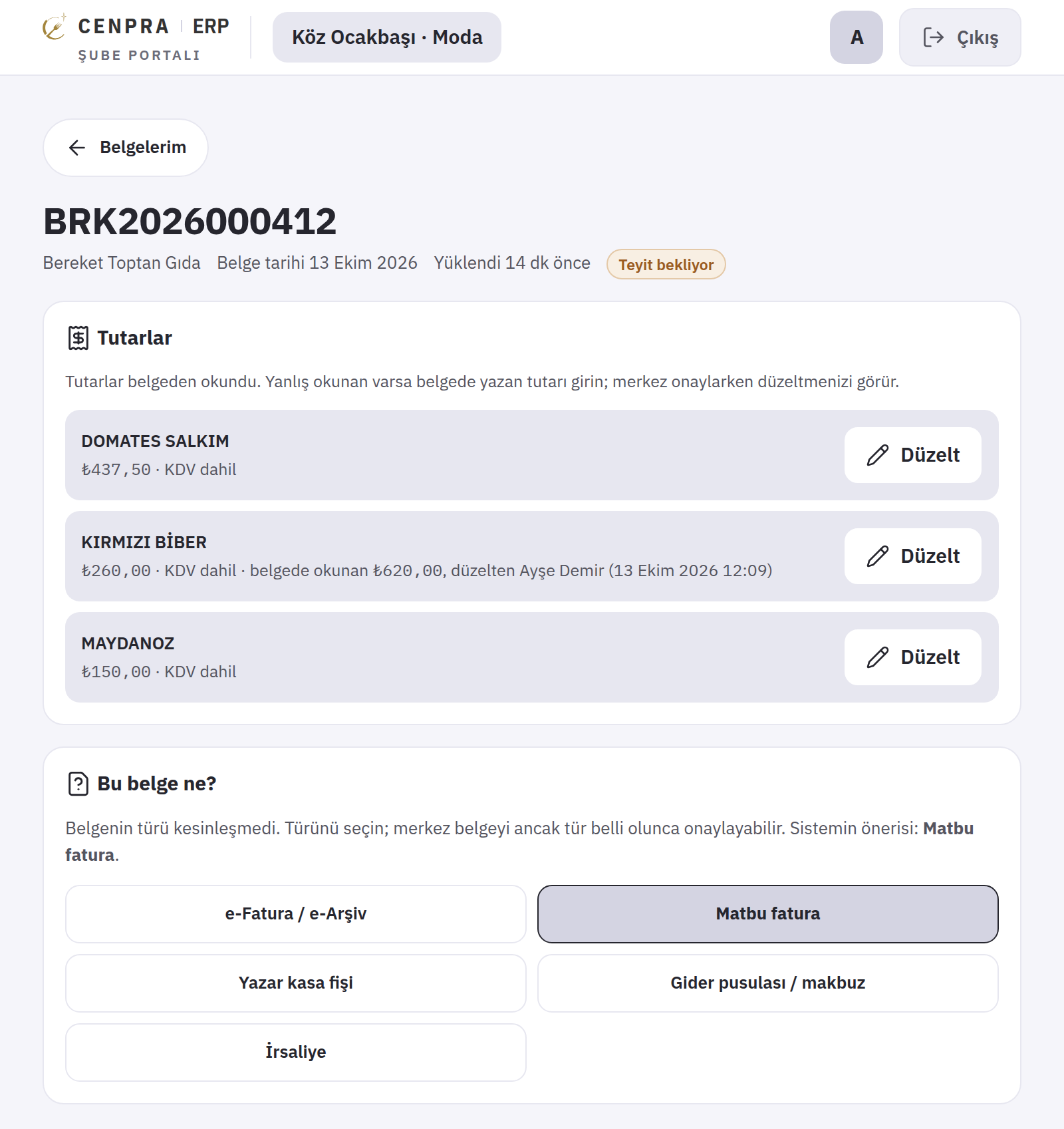
The system works out the document type itself. When it is not sure, it does not guess; it asks the branch, and head office cannot approve until the type is settled. If a document cannot be read, it gives the reason (blurred, dark or cut off) and suggests taking it again.
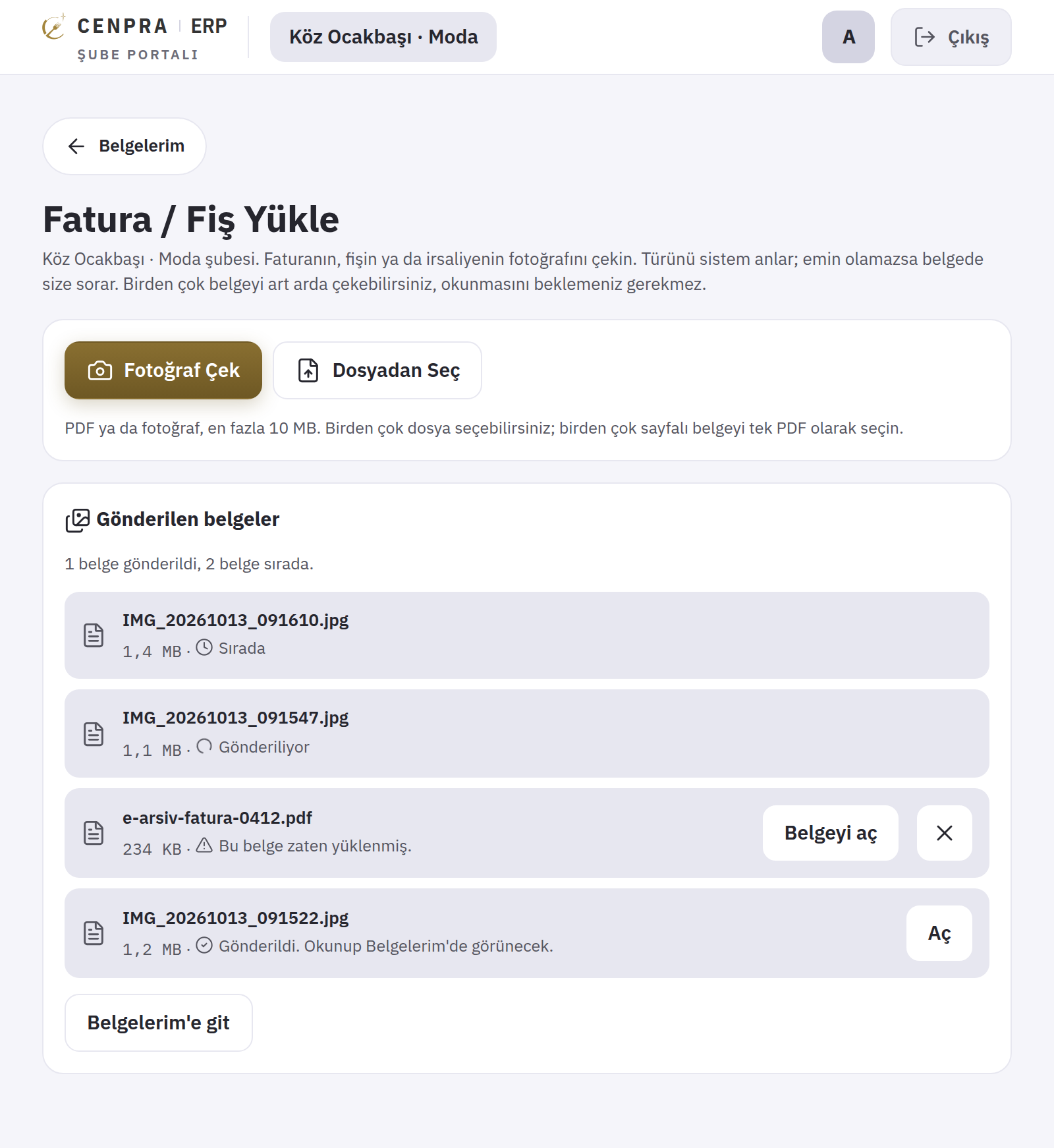
The branch can upload as many photos as it likes in a row; documents are processed in the background and nobody waits on the screen. The same file is never accepted twice, and a second photo of the same invoice triggers a duplicate warning.
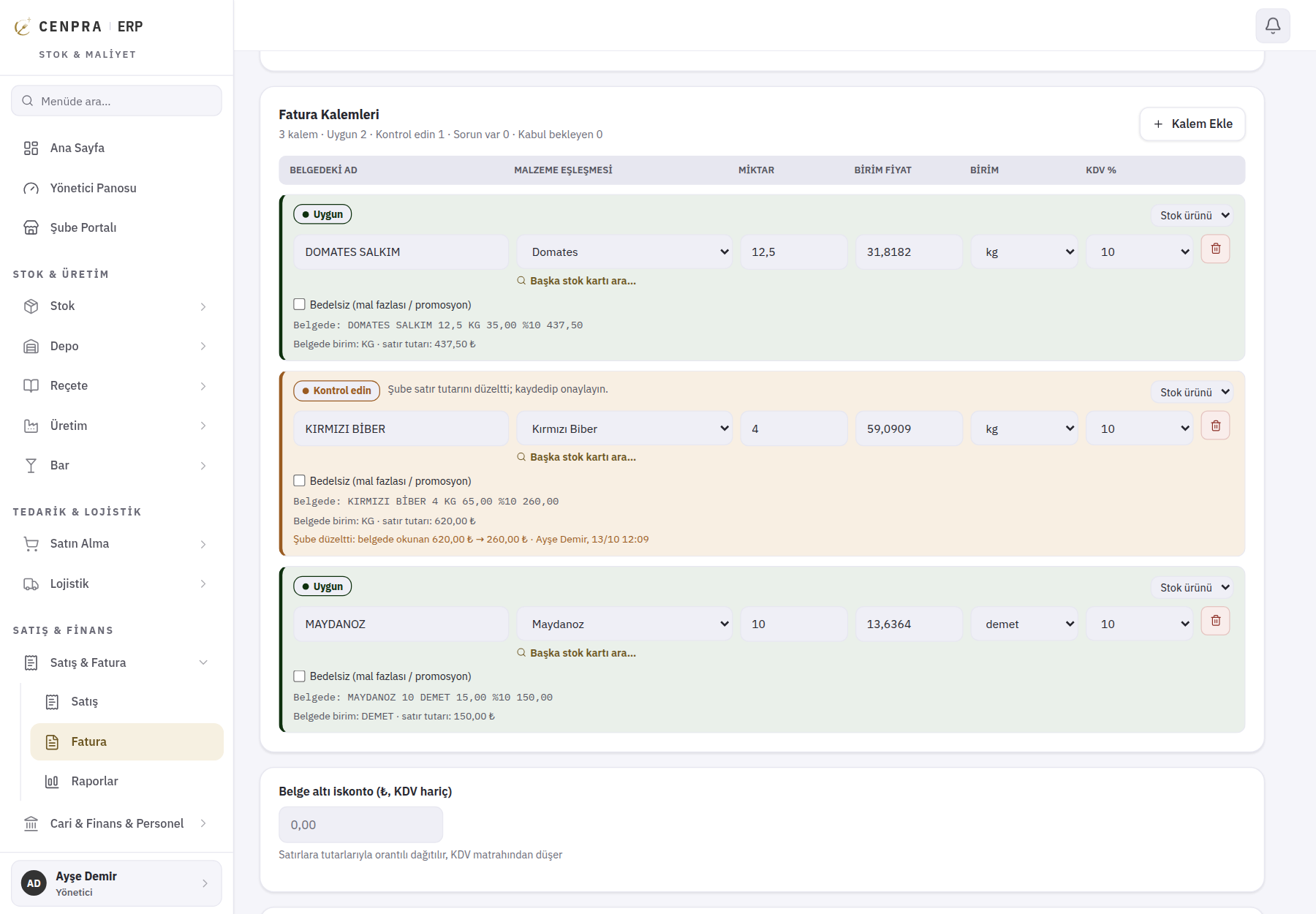
Branches do not enter prices; the price is what the document says. If an amount was misread, the branch enters the value on the document. The original reading is kept, and head office sees who corrected it and when. A photographed document does not reach stock or cost until head office approves it.
Local purchases a franchisee makes from a greengrocer, supermarket or wholesaler also come in with a single photo. Head office sees what the branch buys outside, without asking the franchise team to fill in forms.
Every stage of a purchase is tracked in CENPRA ERP: a request is raised, an order goes to the supplier, the invoice is read, goods enter stock and the recipe cost is updated. The screens below are taken from the product itself; brand, branch and people names are fictional.
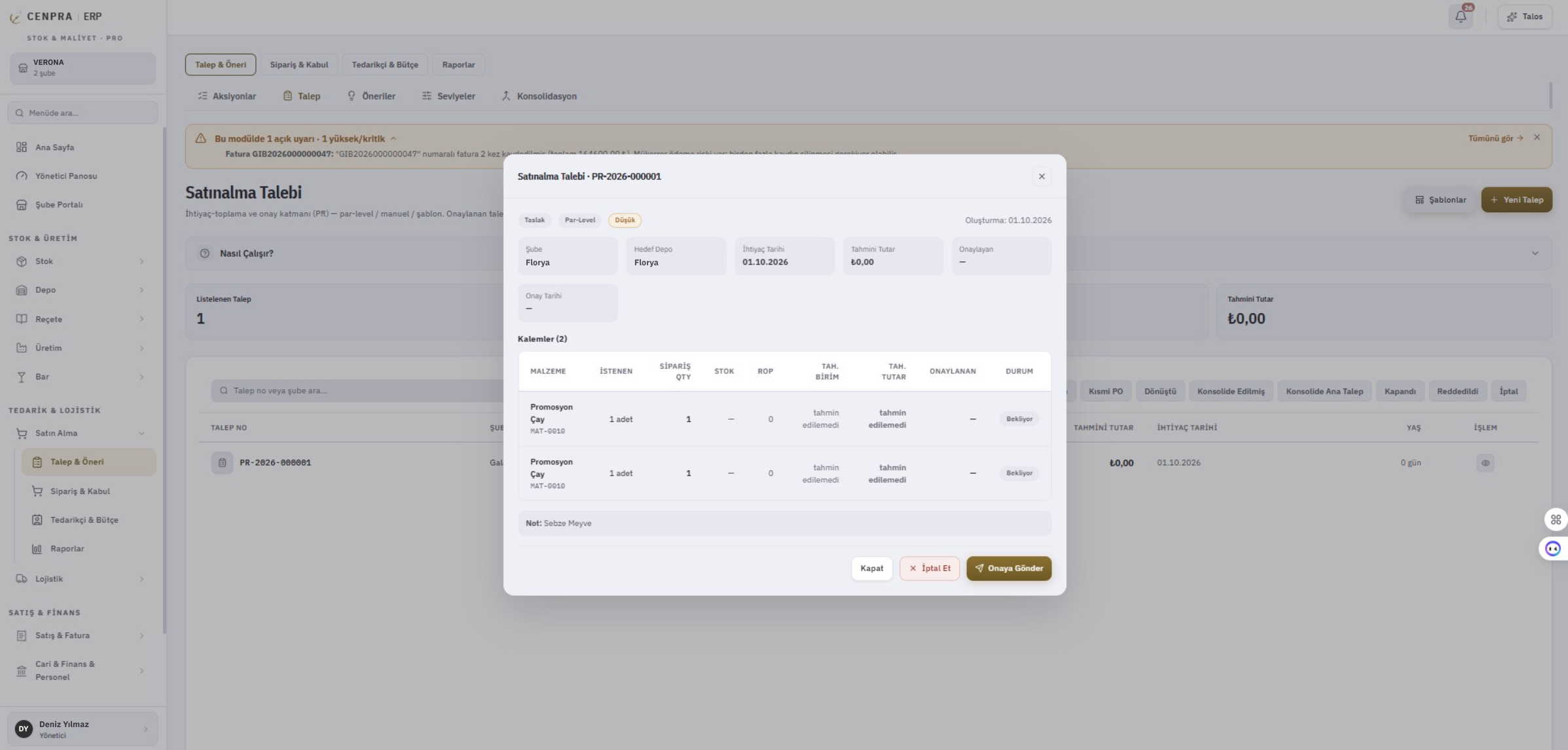
A branch or head office raises a purchase request, entering the item, quantity, target warehouse and date needed in one window. Requests can come from par levels, a template or be entered by hand. Once approved, a request becomes an order in one click.
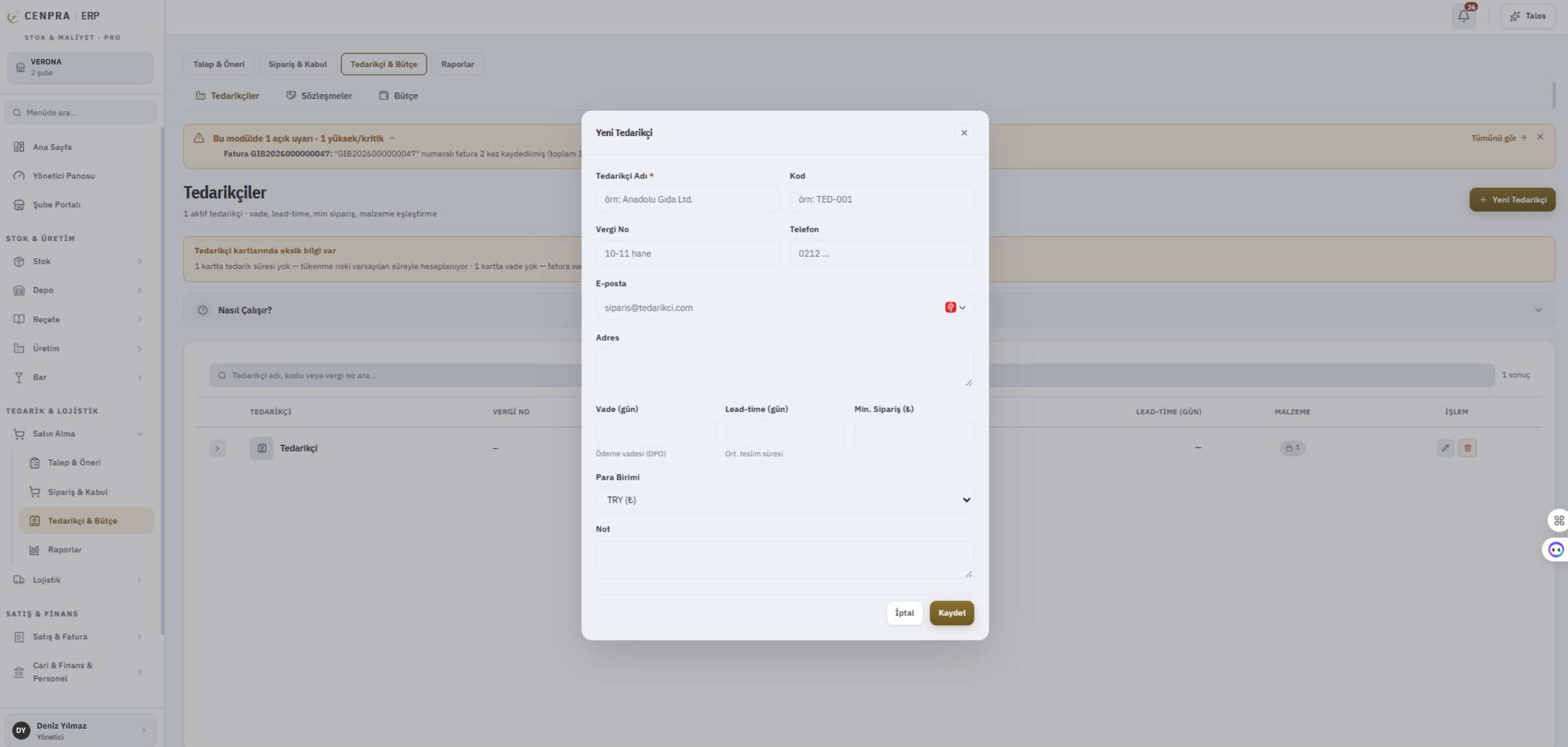
Payment terms, lead time and minimum order value are kept on the supplier card. The system warns you when something is missing, because order timing and stock-out risk are calculated from these details. Contracts and budget sit on the same tab.
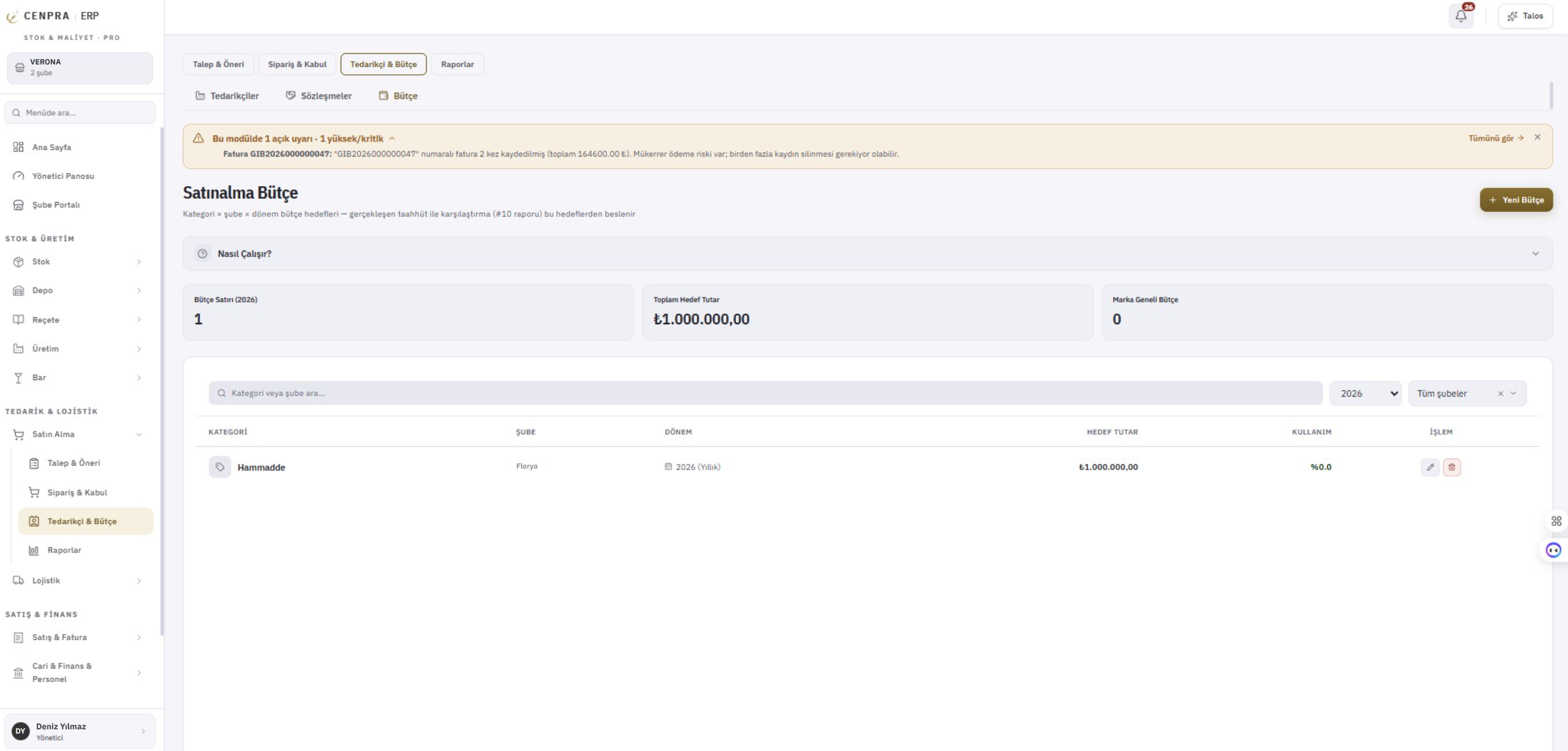
Targets are set for each category by branch and period. Invoiced purchases and open orders are tracked against the target, and the budget report shows variances without waiting for month end.
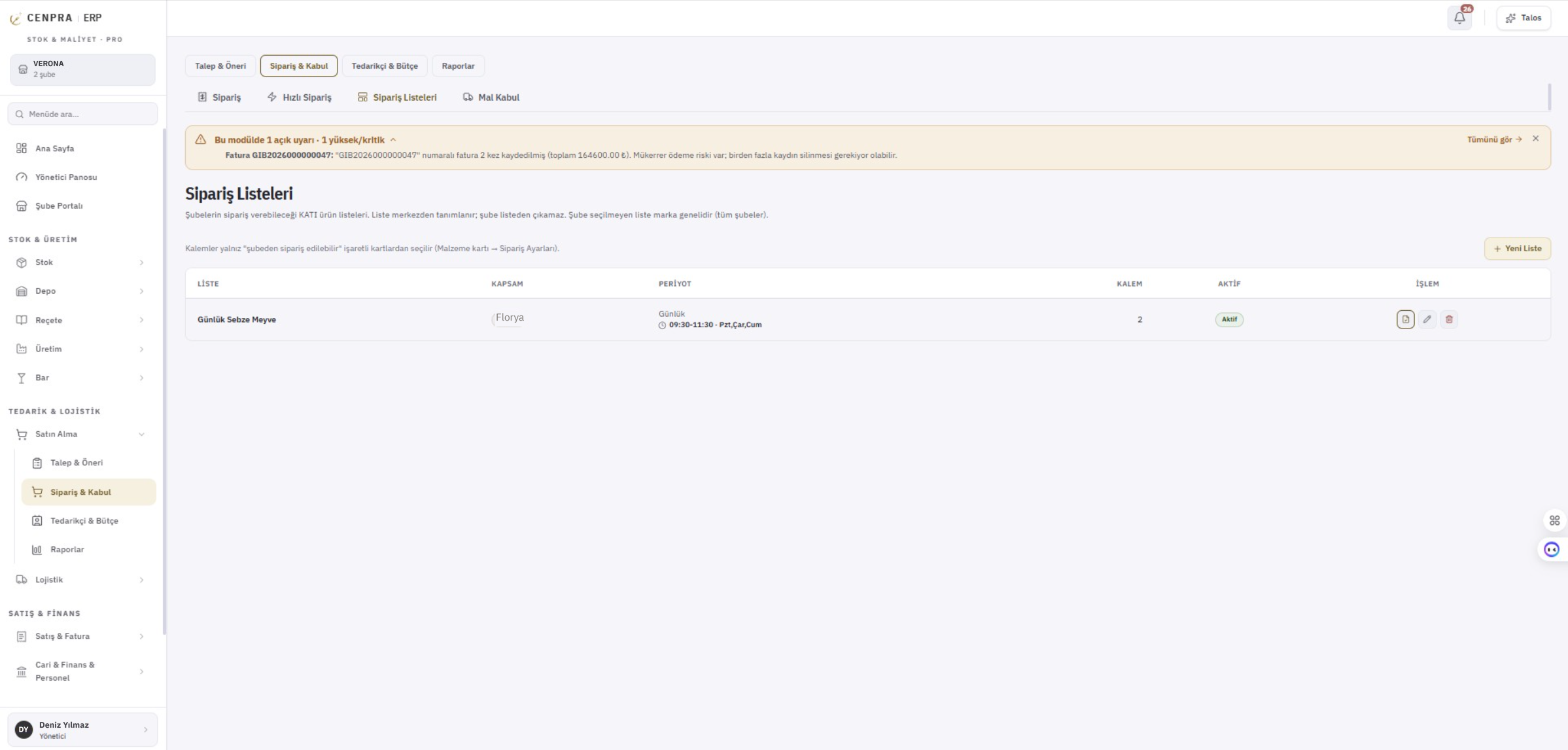
Head office defines the product lists branches can order from, and items outside the list cannot be added. Delivery days and time windows are shown on the list. If an invoice is recorded twice, a warning appears at the top of the module.
With the Upload invoice / receipt button the branch takes a photo or picks several documents from files. Documents are sent in the background, so nobody waits on the screen. The same document cannot be uploaded twice.
The system works out the document type and, when unsure, asks the branch with its suggestion: e-Invoice / e-Archive, printed invoice, till receipt, expense slip or delivery note. Head office cannot approve until the type is settled. If an amount was misread, the branch enters the value on the document; the original reading and the person who corrected it stay on the line.
Each item read from the document is matched to a stock card. Confident matches show 'OK', and lines that need a look show 'Check'. Amounts corrected by the branch are shown with the original reading and who corrected them. A photographed document does not reach stock or cost until head office approves it.
Ingredient unit costs are taken from invoices using the method you choose, and recipe costs update as invoices come in. Semi-finished items, waste and yield are taken into account. Every plate sold is deducted from stock according to its recipe.
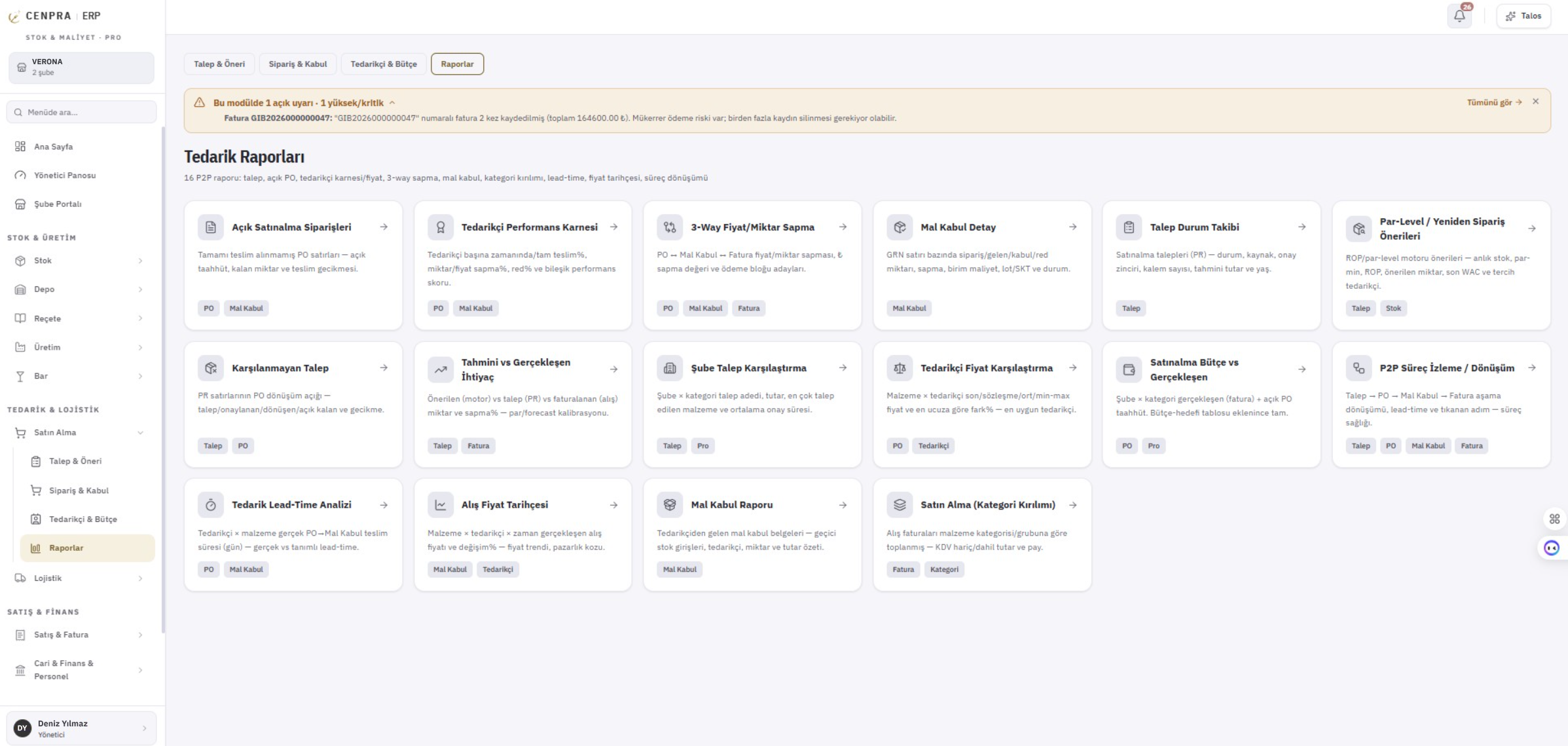
Each branch's warehouses are kept separate. Count sheets, count lists, analyses and reports are in the same module. Which warehouse sales are deducted from is set per branch; transfers and shipments run in the logistics module.
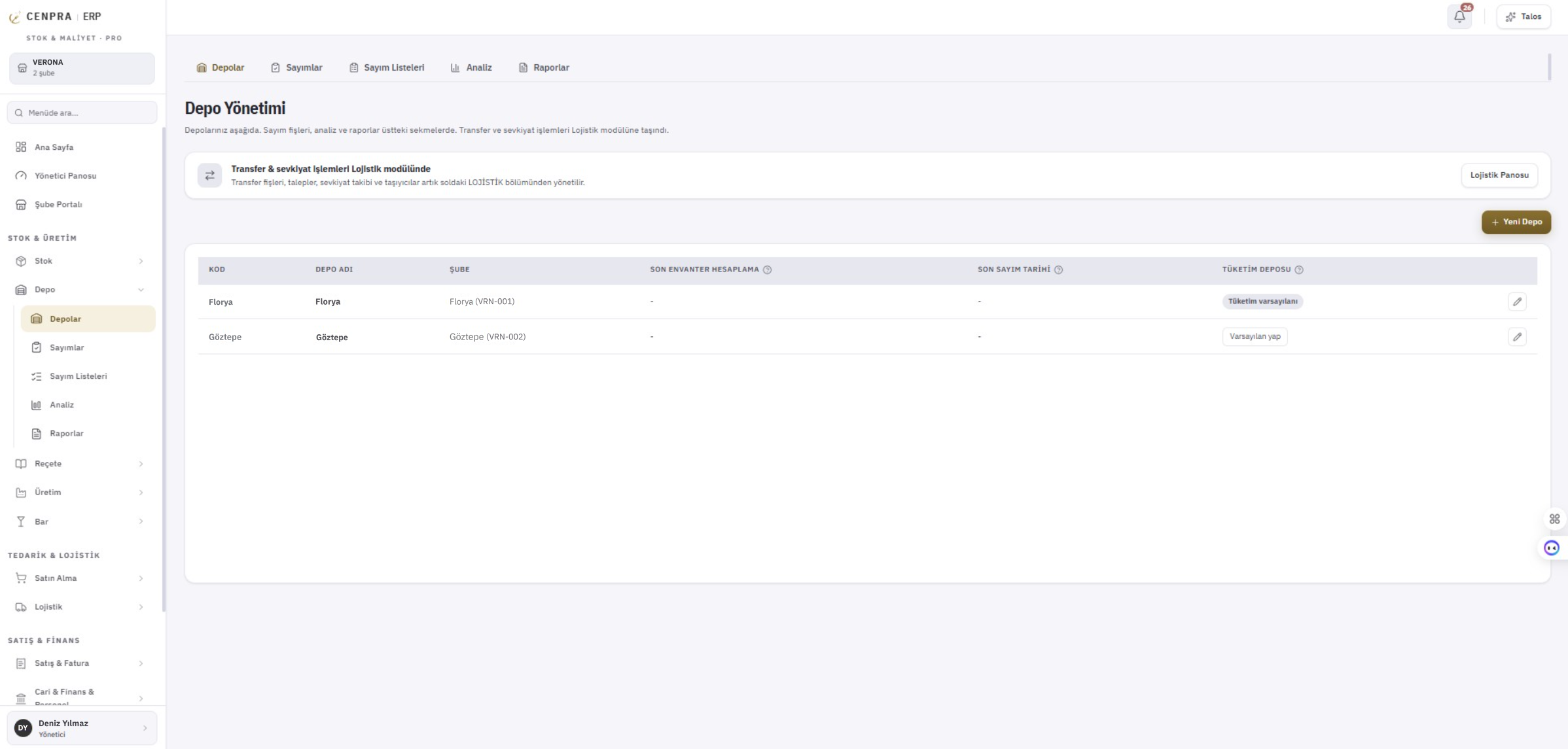
Branch staff see their pending work on their own screen: goods to receive, documents awaiting confirmation, transfers on the way and orders awaiting approval. From here they place orders, receive goods, count stock, report waste and upload documents. Average cost and stock value are not shown; the brand decides whether staff can see document totals.
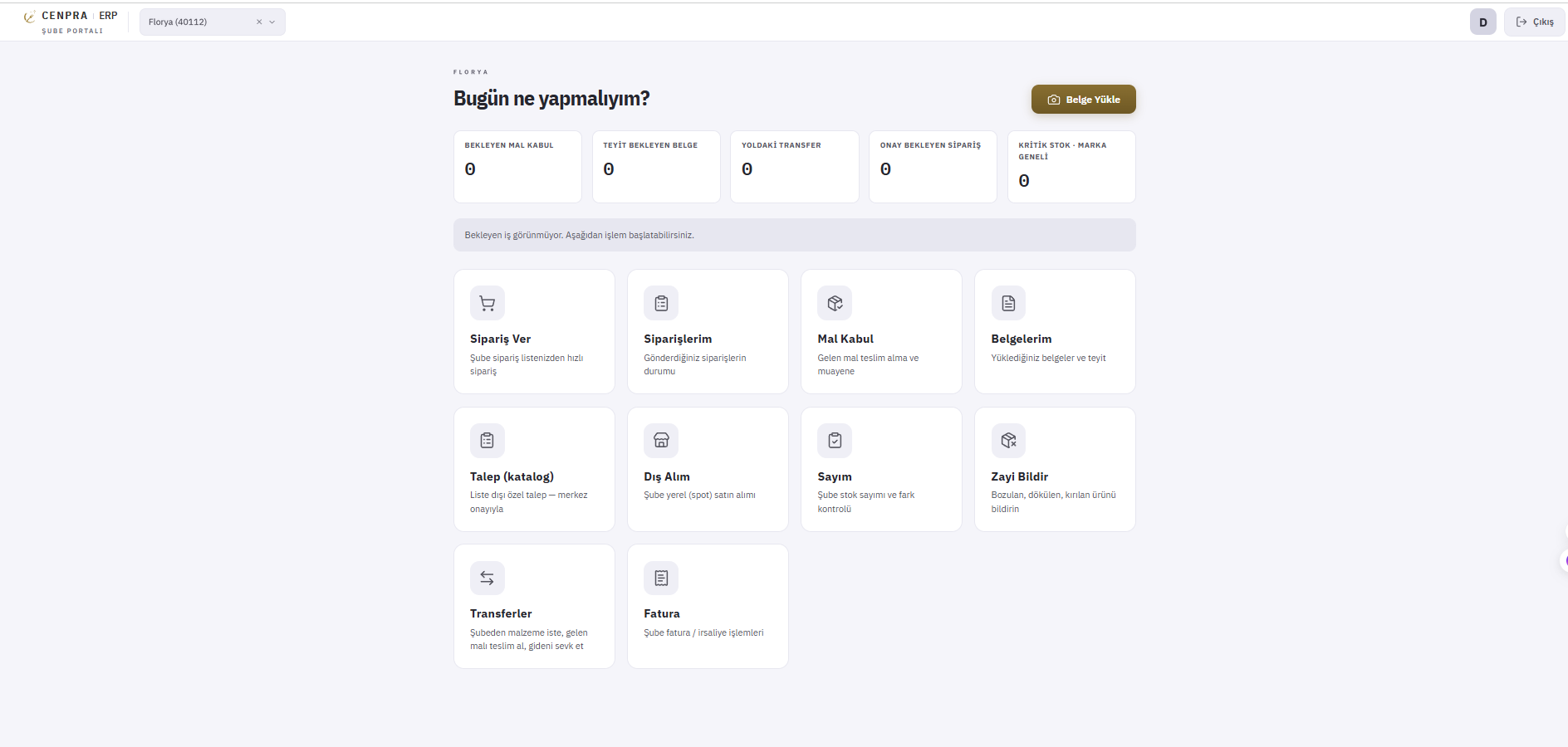
Supplier performance scorecard, price and quantity differences between invoices, orders and goods receipt, purchase price history, lead-time analysis, budget versus actual and unfulfilled requests. Every report is one click away once you pick a branch and period.
CENPRA ERP lets you follow where your money goes, day by day.
Ingredient costs and recipes update as invoices come in. When a supplier raises prices, your plate cost changes the same day, so you set selling prices from calculation rather than guesswork.
When the same invoice is recorded twice, a warning appears at the top of the module, so the risk of paying twice is caught before any money leaves.
Average cost, stock value, transfer and count prices are never shared with branches. At most a branch can see the totals on its own documents, and the brand decides whether staff can see even that.
Invoices, receipts and delivery notes come in as photos; items are read and matched to stock cards. Your team only checks the flagged lines, and the rest wait for your approval.
Category and branch targets are tracked against actual purchases, so variances appear before month end.
On-time delivery, price changes and invoice-to-order differences build up on the supplier scorecard, so your supplier talks rest on records rather than impressions.
For single sites or businesses with three to five branches. Stock, recipes, costing, counts and purchasing.
For chains and franchises. Multiple branches, head-office and branch management, advanced reporting.
Both packages meet the same legal requirements. Contact us for pricing.
Once your recipes are set up and your POS is connected, you see your real costs from the first week.